How to request Amazon reviews automatically
Turn on automatic review requests in RedHen Labs: Amazon's own Request a Review email for every eligible order, which products, and Amazon's answer.
Amazon lets you ask each buyer for a review once, with its own Request a Review email. RedHen Labs sends that request for you on every eligible order, at the right time after purchase, and shows you Amazon's answer for each one.
This guide sets it up with a screenshot of each step (the control to use is ringed and numbered). It takes about two minutes.
Step 1 · Switch on review requests
In the side menu, under Products, click Reviews (every plan includes it). Switch on Auto-request reviews (1), then choose how long after purchase to ask (2): 10, 14 or 21 days. Amazon takes a request 5 to 30 days after delivery, and 10 days leaves time for shipping.

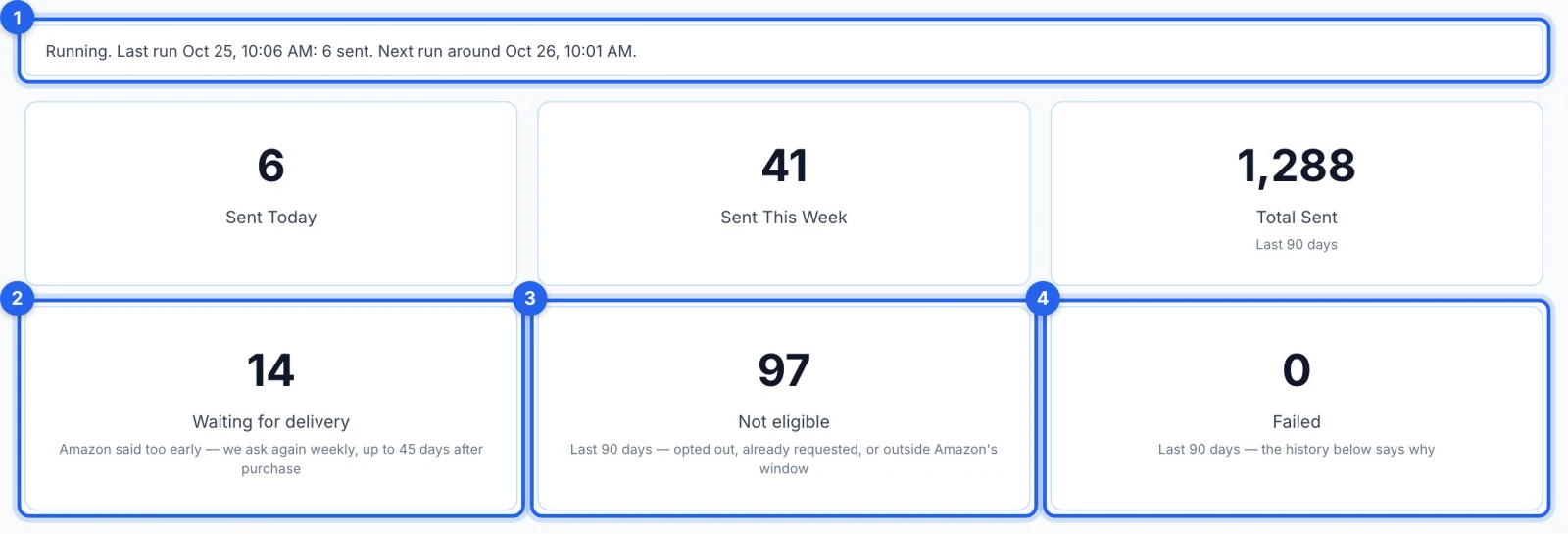
Step 2 · Check that it's running
The line under the settings (1) says whether requests are going out: the last daily run, how many it sent, and when the next is due. Below it are the counts: sent today, this week and in the last 90 days; Waiting for delivery (2), orders Amazon said were too early, asked again each week up to 45 days after purchase; Not eligible (3), where Amazon said no; and Failed (4), not sent for another reason.
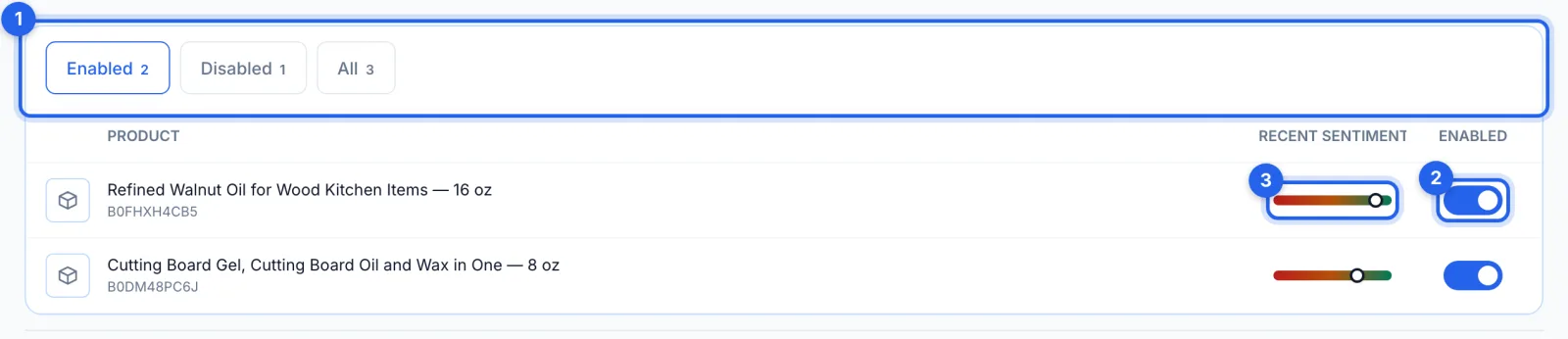
Step 3 · Choose which products get requests
Every product is on to start with. Switch one off (2) and its orders are no longer asked about; the tabs (1) show the products that are on, the ones that are off, or all of them. The bar (3) is the product's Recent Sentiment.
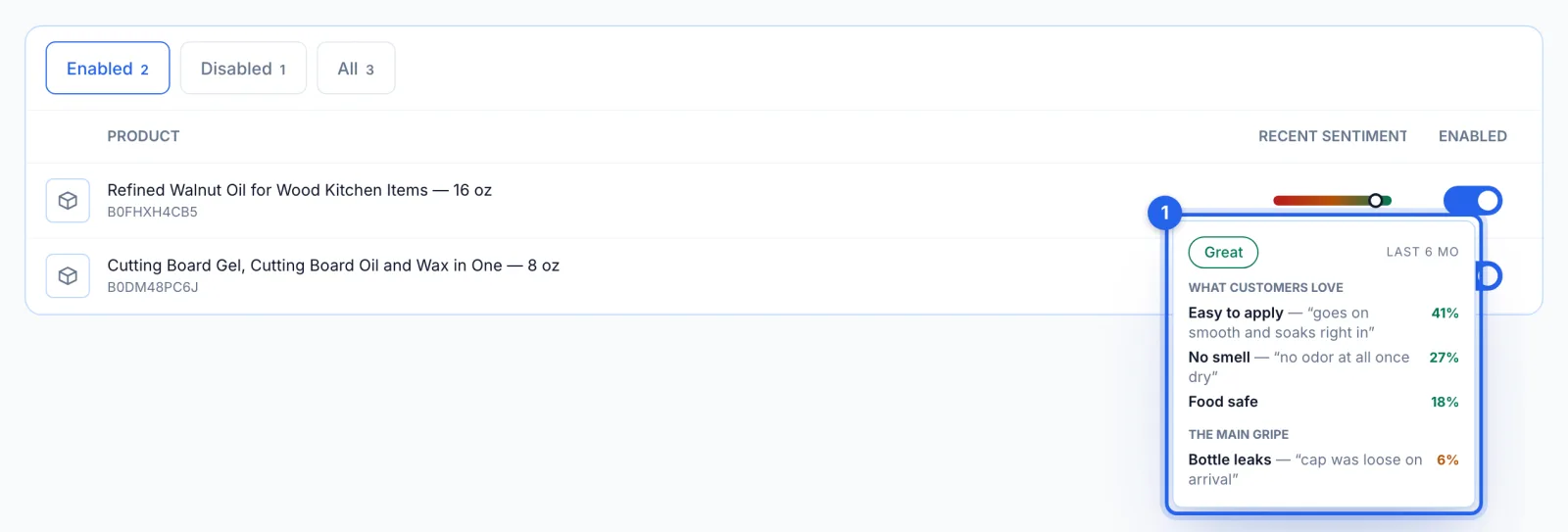
Step 4 · See what customers say about a product
Hover over a product's Recent Sentiment bar to see (1) what customers love and the main gripe in its reviews over the last six months, and how much each moves the rating. It's our reading of the reviews, not Amazon's star rating; a product with only a few reviews shows a grey bar.
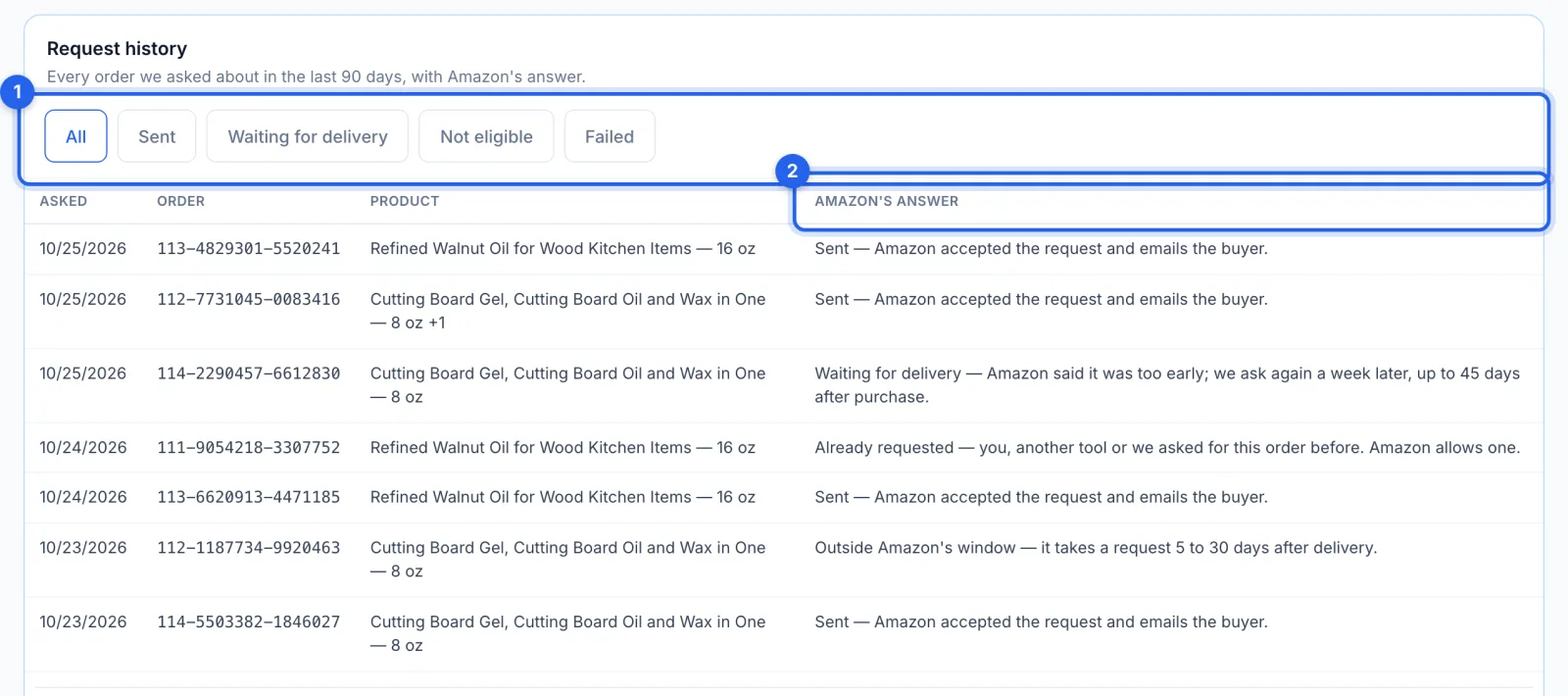
Step 5 · Read Amazon's answer for each order
Request history lists every order asked about in the last 90 days, newest first, with Amazon's answer in plain words (2): sent, waiting for delivery, already requested, outside Amazon's window, or the buyer has opted out of messages. The tabs (1) show one kind at a time.
Good to know
- What the buyer gets. Amazon's standard review request email, the same one the Request a Review button in Seller Central sends. Nobody can change its wording, and it goes through Amazon's official API, not buyer messages.
- Once per order. Amazon allows one request per order. If you or another tool already asked, Amazon says so, and the order shows as Already requested.
- When it runs. Once a day, at about 14:00 UTC (mid-morning US Eastern). The first run after you switch on also goes back over the last 25 days of orders that can still be asked.
- What's left out. Cancelled orders and the products you switch off. Amazon decides whether a returned order can still be asked, and its answer is in the history.
- Switching off. Nothing more is sent, and a run already under way stops within a minute or two. Requests already sent can't be recalled.
- It needs Seller Central. Review requests use your Seller Central (SP-API) connection, not Amazon Ads (see How to connect Amazon Seller Central and Amazon Ads). If the connection is lost, the line under the settings says Stopped, with a button to Settings, and the orders waiting are asked once you reconnect.
Is it allowed?
Yes: it is Amazon's own request, sent the way Amazon provides for it. For where the line falls between this and the tactics that get accounts suspended, see Is automating Amazon review requests against Amazon's terms?