How to launch Amazon PPC campaigns with AI
Launch four Sponsored Products campaigns from Amazon's own suggestions for your products, with an AI profile that manages their bids, in RedHen Labs.
AI Campaign Creation starts from Amazon's own suggestions for your products (the category, keywords and ASINs it recommends), builds four Sponsored Products campaigns around them, and gives them an AI profile that manages their bids from then on. You check every suggestion before anything is created.
This guide launches a set with a screenshot of each step (the control to use is ringed and numbered). It takes about six minutes.
Step 1 · Choose AI Campaign Creation
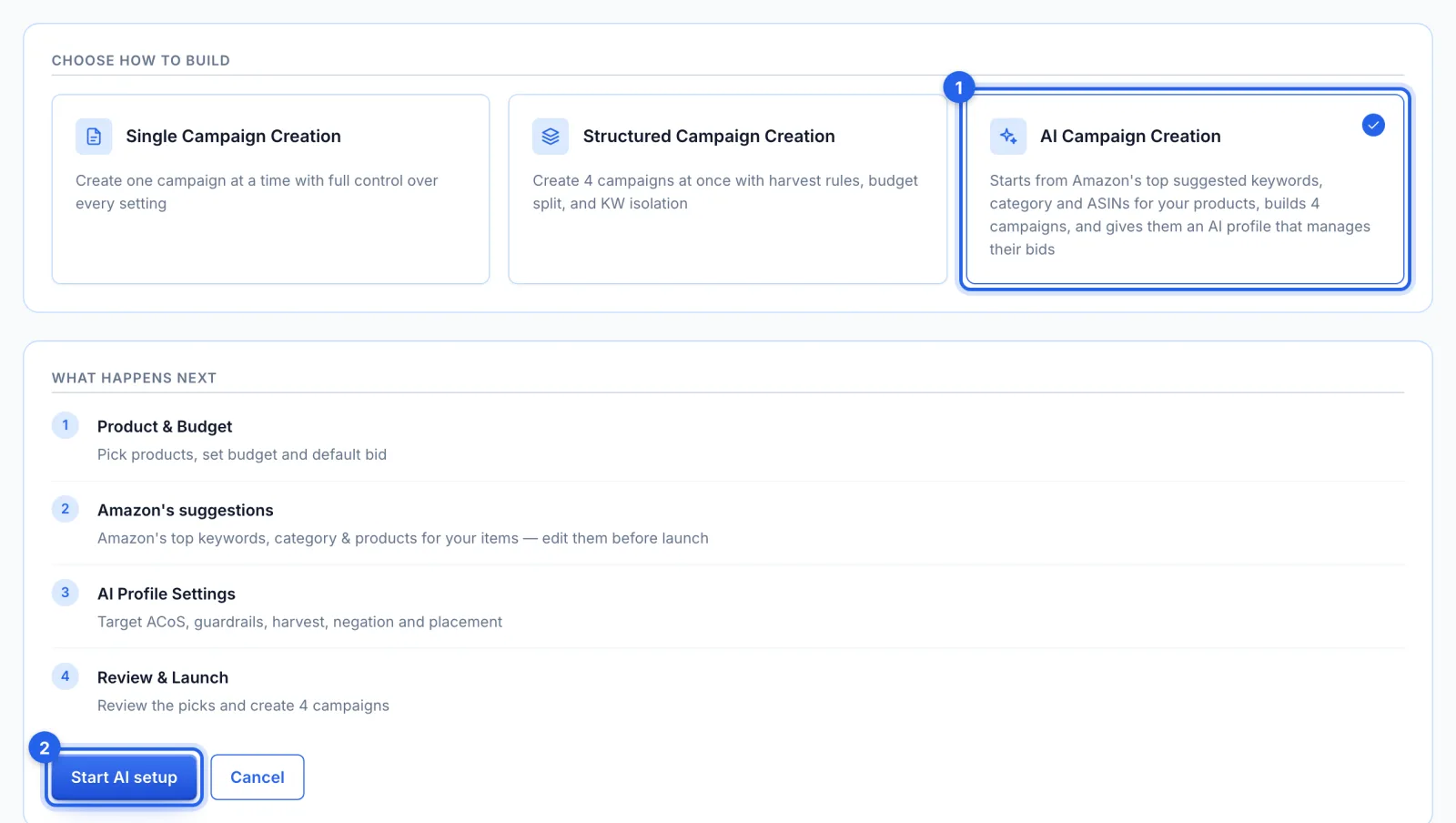
In the side menu, under Advertising, click Campaign Setup. Pick AI Campaign Creation (1), on the Growth plan and up, and click Start AI setup (2). It builds four Sponsored Products campaigns from Amazon's own suggestions for your products, and an AI profile that manages their bids.
Step 2 · Pick the products and the name
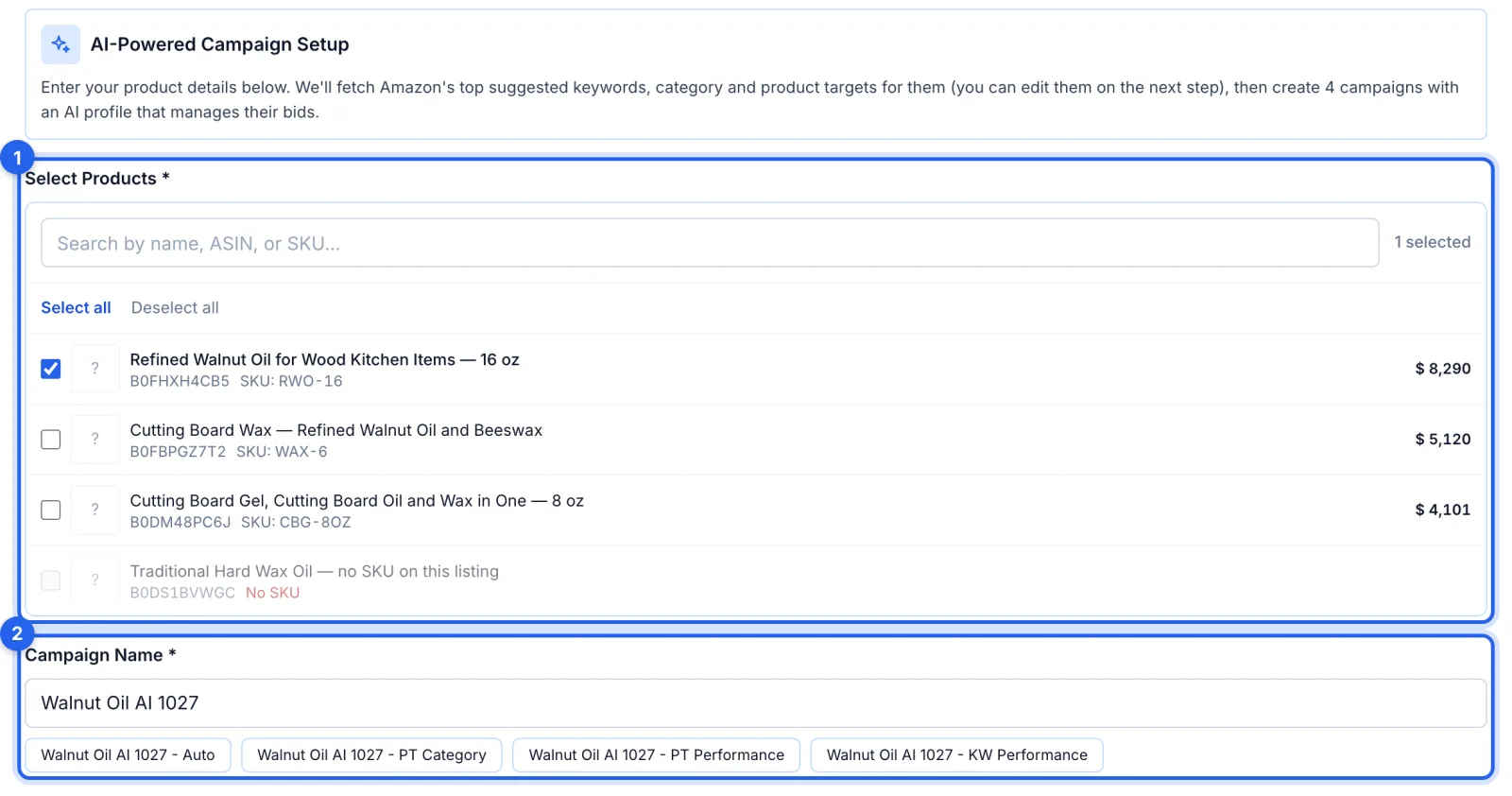
Pick the products to advertise (1); each needs a seller SKU. Picking them fills in a name from the first one's title (2). The name starts all four campaign names, shown beneath it; change it if you like.
Step 3 · Set the budget and bids
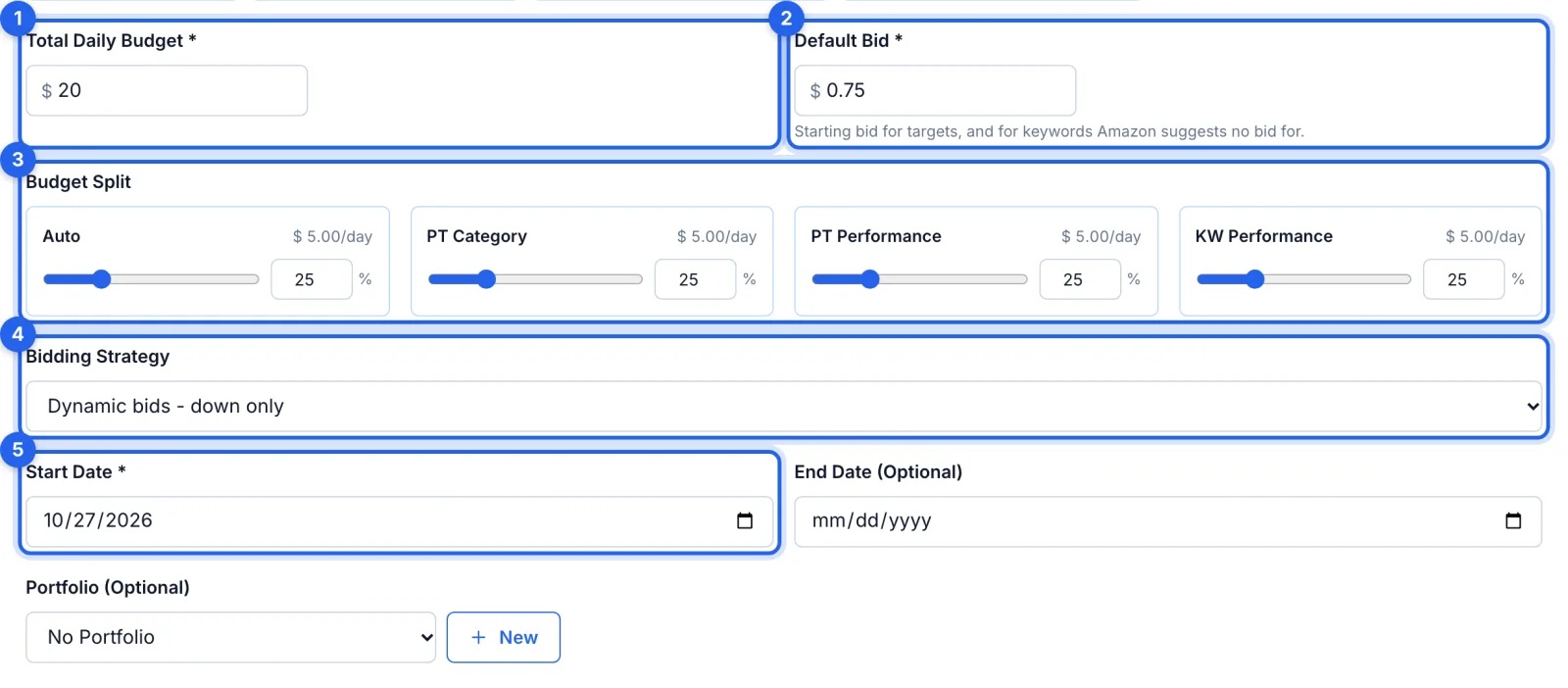
The total daily budget (1) is split between the four campaigns (3), 25% each to start; the split must add up to 100%. The default bid (2) is for product targets, and for any keyword Amazon has no suggested bid for. Pick the bidding strategy (4) and the start date (5), then click Continue to fetch Amazon's suggestions.
Step 4 · Check Amazon's suggestions
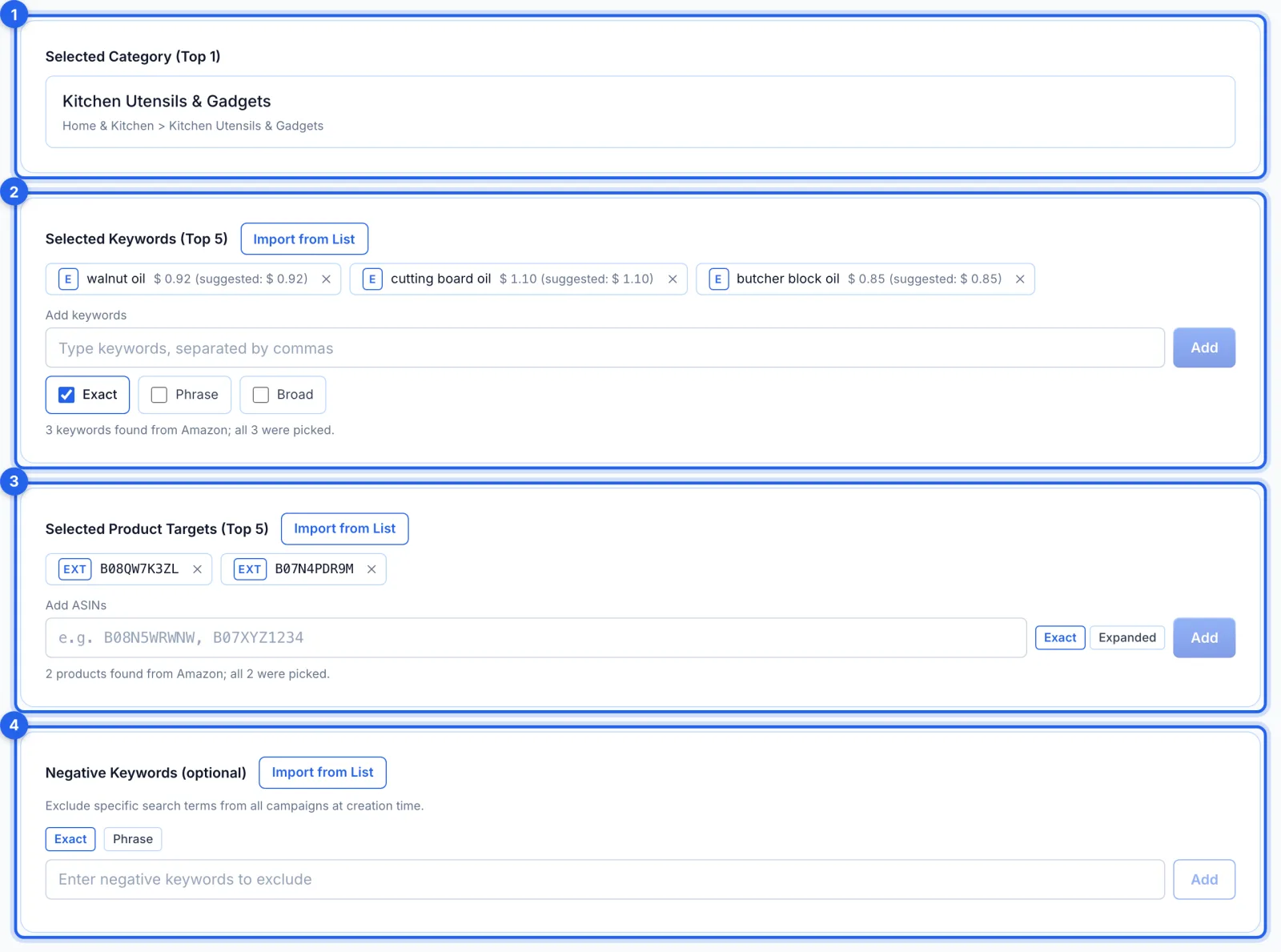
Amazon's top category (1), its top 5 keywords as exact matches at its suggested bids (2), and its top 5 ASINs as exact targets (3) are picked for you. Remove any you don't want, click a keyword's E to switch it to phrase or broad, or click an ASIN's EXT to make it Expanded, which puts it in PT Category for discovery. You can also type your own or import a saved list. Negative keywords (4) are optional.
Step 5 · Set the target and the guardrails
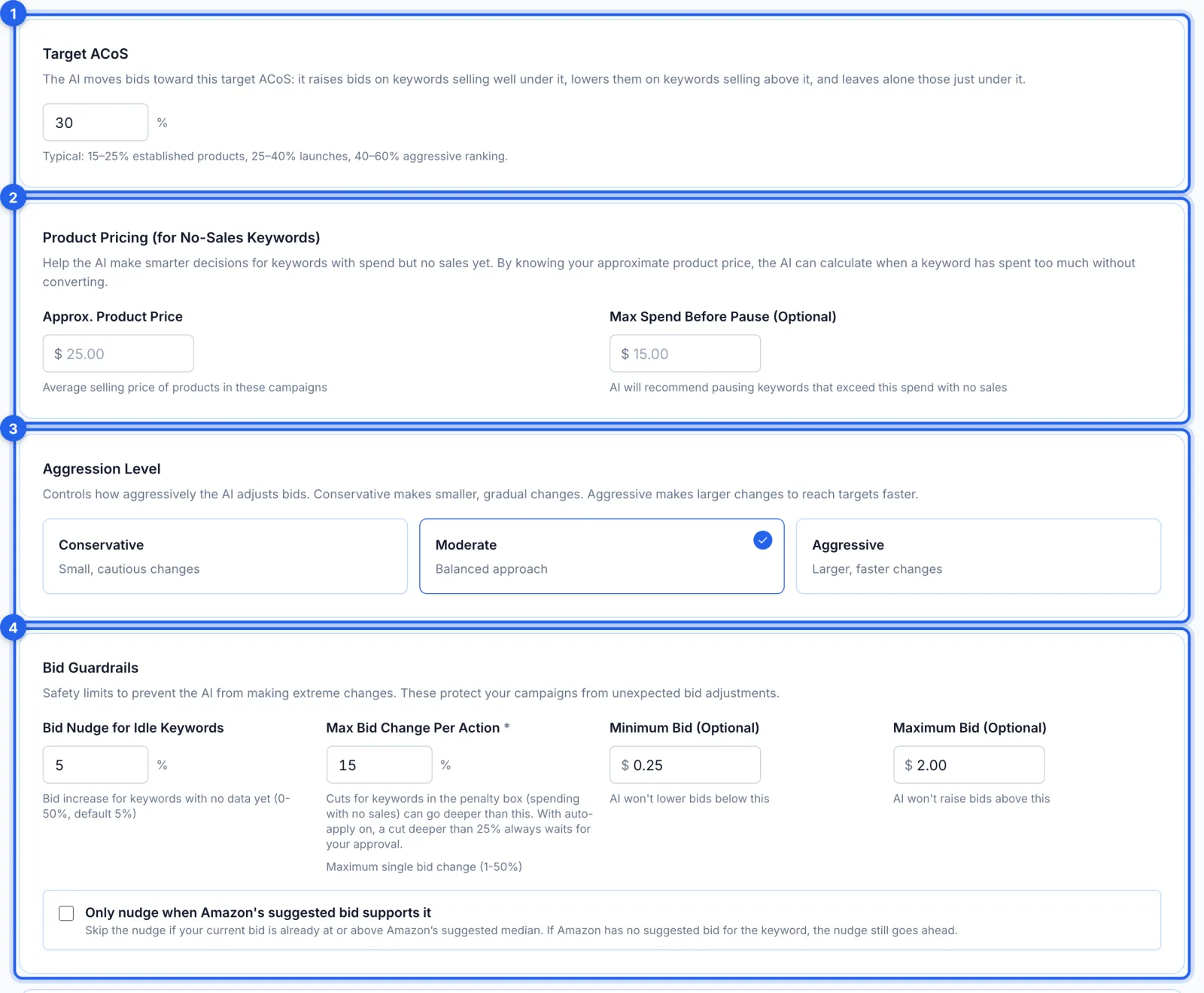
Target ACoS (1) is what the AI steers your bids toward, 30% to start. Product pricing (2) tells it when a keyword with no sales has spent enough. Aggression (3) sets how big its moves are, and the bid guardrails (4) keep every bid between your minimum and maximum, changed by at most 15% at a time.
Step 6 · Choose harvesting, negatives and approval
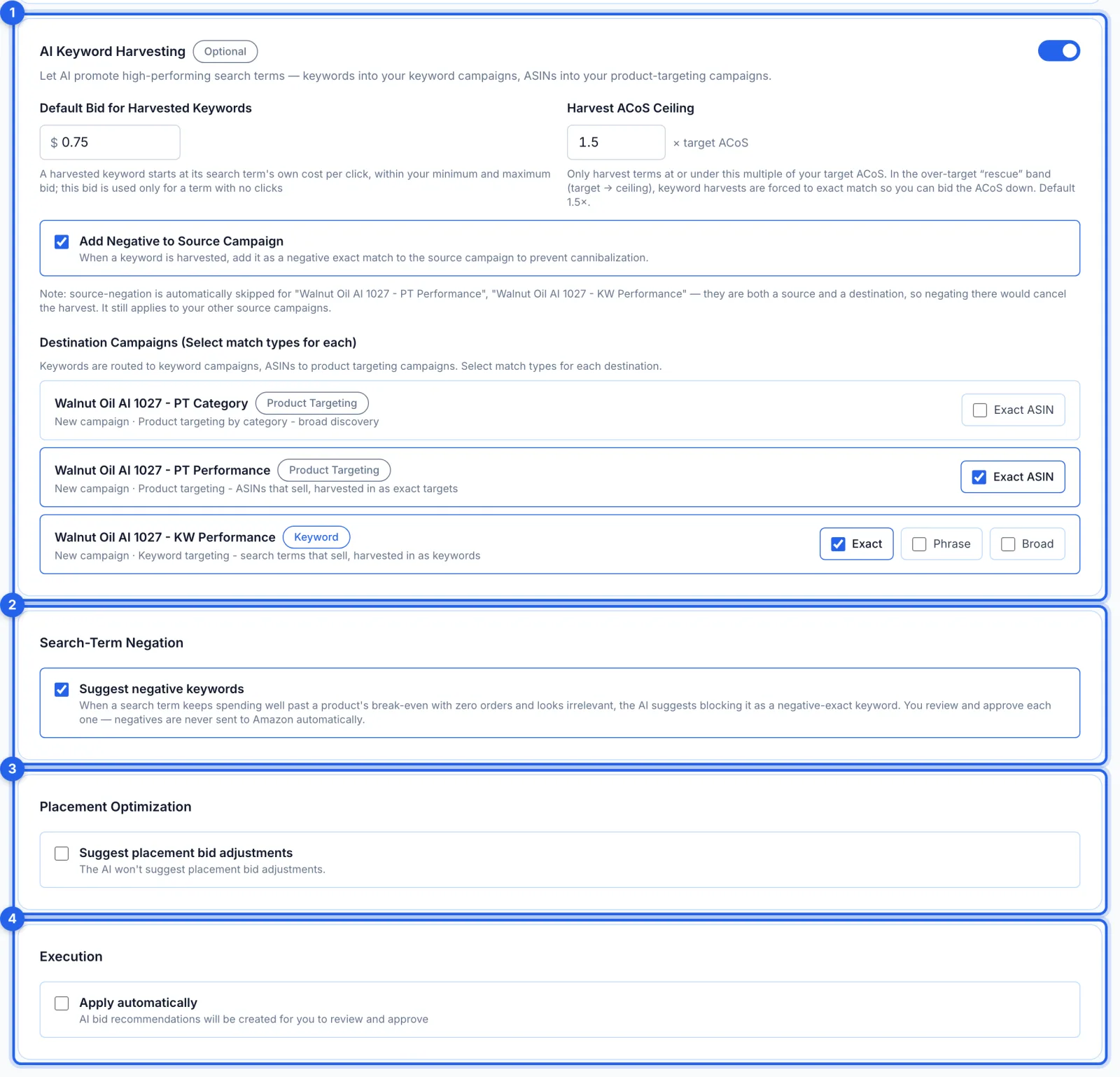
Harvesting (1) is on: search terms and ASINs that sell, in any of the four campaigns, are suggested as exact keywords for KW Performance and exact targets for PT Performance. Suggest negative keywords (2) is on and placement suggestions (3) are off. With Apply automatically (4) off, you approve every change.
Step 7 · Review and launch
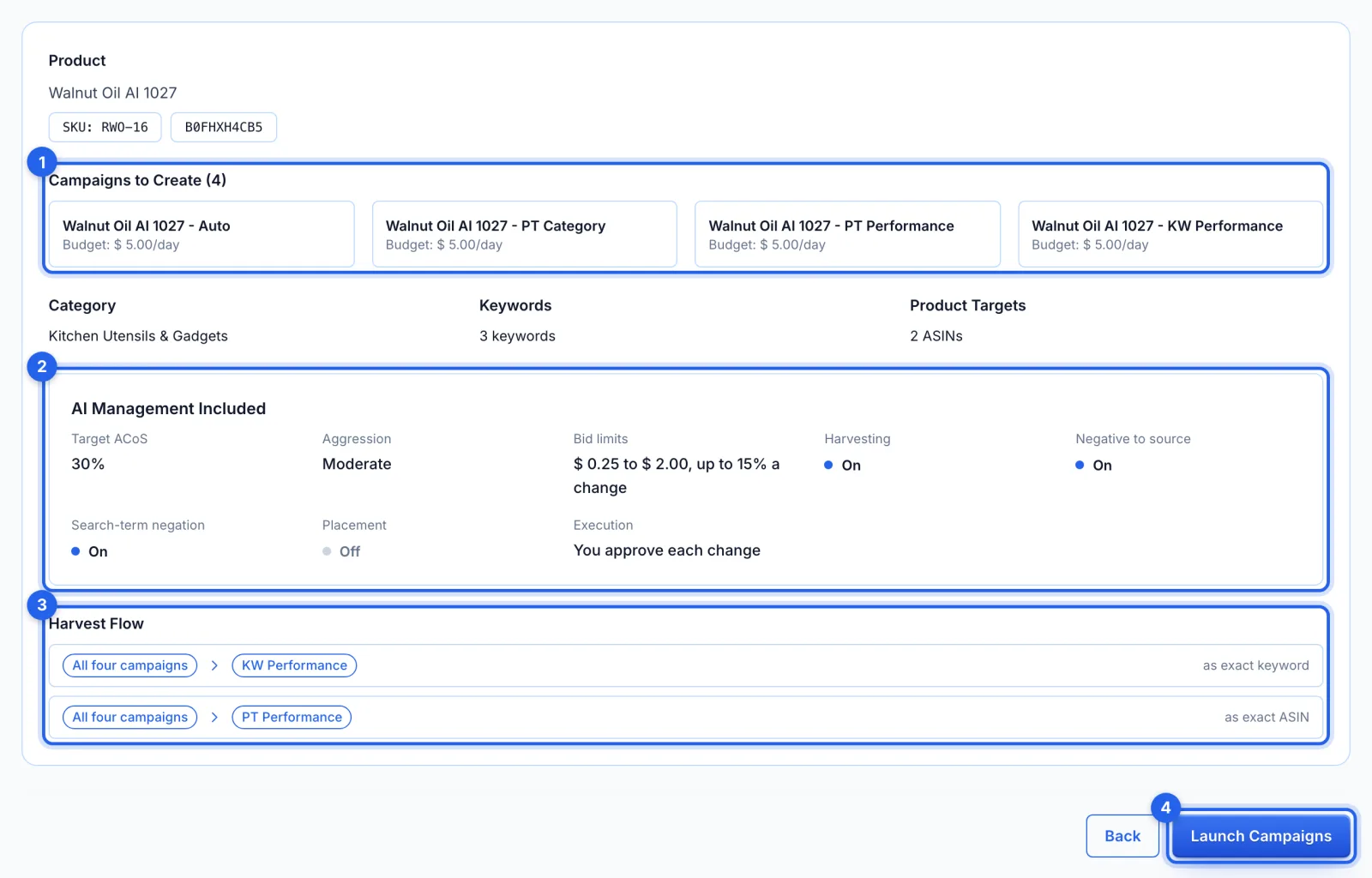
Check the four campaigns (1), the AI settings (2) and where harvests go (3), then click Launch Campaigns (4). Everything is created paused, and switched on only if Amazon accepted every part. The AI profile takes the campaigns' name, ending in AI Manager.
Good to know
- When the AI starts. It works through its campaigns every morning, around 7 AM Eastern (6 AM in winter), beginning at its next morning run. It looks at each keyword about once a week, so a new campaign's first suggestions arrive over its first days. To ask sooner, open the profile under AI Automations, click Edit, then Run Now (once an hour at most).
- Where its changes wait. On the AI Recommendations page, to approve or reject (see How to review and apply AI bid recommendations). With Apply automatically on, bid changes from a 25% cut to a 15% raise go straight to Amazon; pauses, negatives, new keywords and targets always wait for you.
- Going back resets the suggestions. Returning to the first step and clicking Continue asks Amazon again and replaces your edits to the keywords and ASINs (your negative keywords stay).
- If Amazon is busy. A suggestions card says so, with Try again; meanwhile you can type your own or import a saved list.
- Every AI setting explained. Step 3 is the same form as an AI profile's; How to set up AI bid management for Amazon ads goes through each setting.
On the Professional plan
Structured Campaign Creation builds the same four campaigns with harvest and negative rules instead of an AI profile (see How to build an Amazon PPC campaign structure).