How to pause Amazon ads when stock runs low
Set up an inventory rule in RedHen Labs: pause ads or hold bids down when FBA days of supply runs low, and switch them back when you restock.
An inventory rule watches the FBA stock of the products your campaigns advertise. When a product runs low, it pauses the campaign's keywords and targets, or holds their bids down, so you don't pay for clicks on something about to sell out; when you restock, it puts them back.
This guide builds one with a screenshot of each step (the control to use is ringed and numbered). It takes about three minutes.
Step 1 · Open the Inventory tab
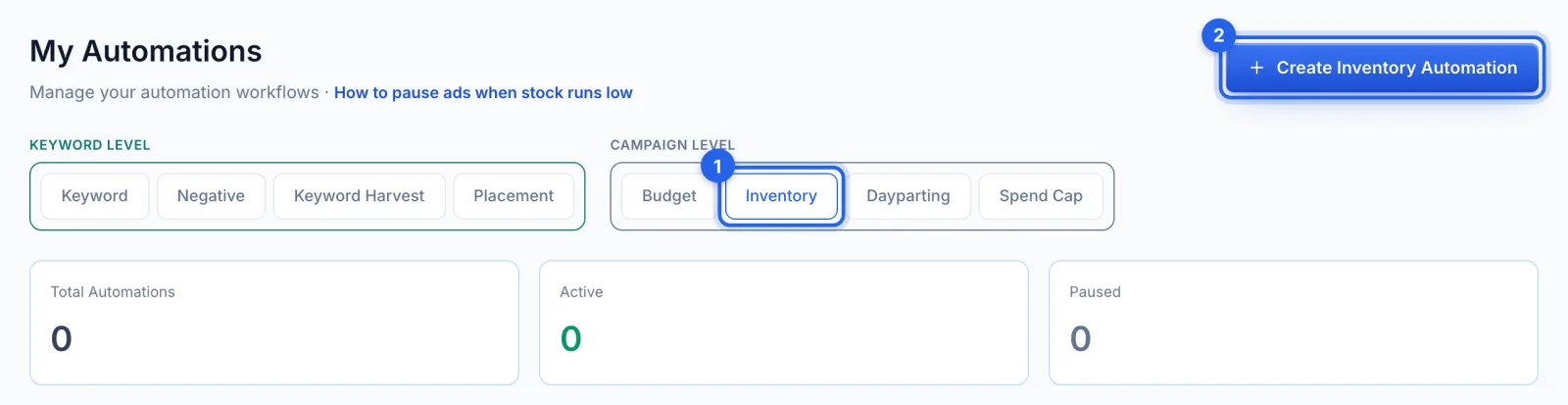
In the side menu, under Automation, click Automations (Professional plan). Under Campaign level, open the Inventory tab (1) and click Create Inventory Automation (2).
Step 2 · Name it and pick the campaigns
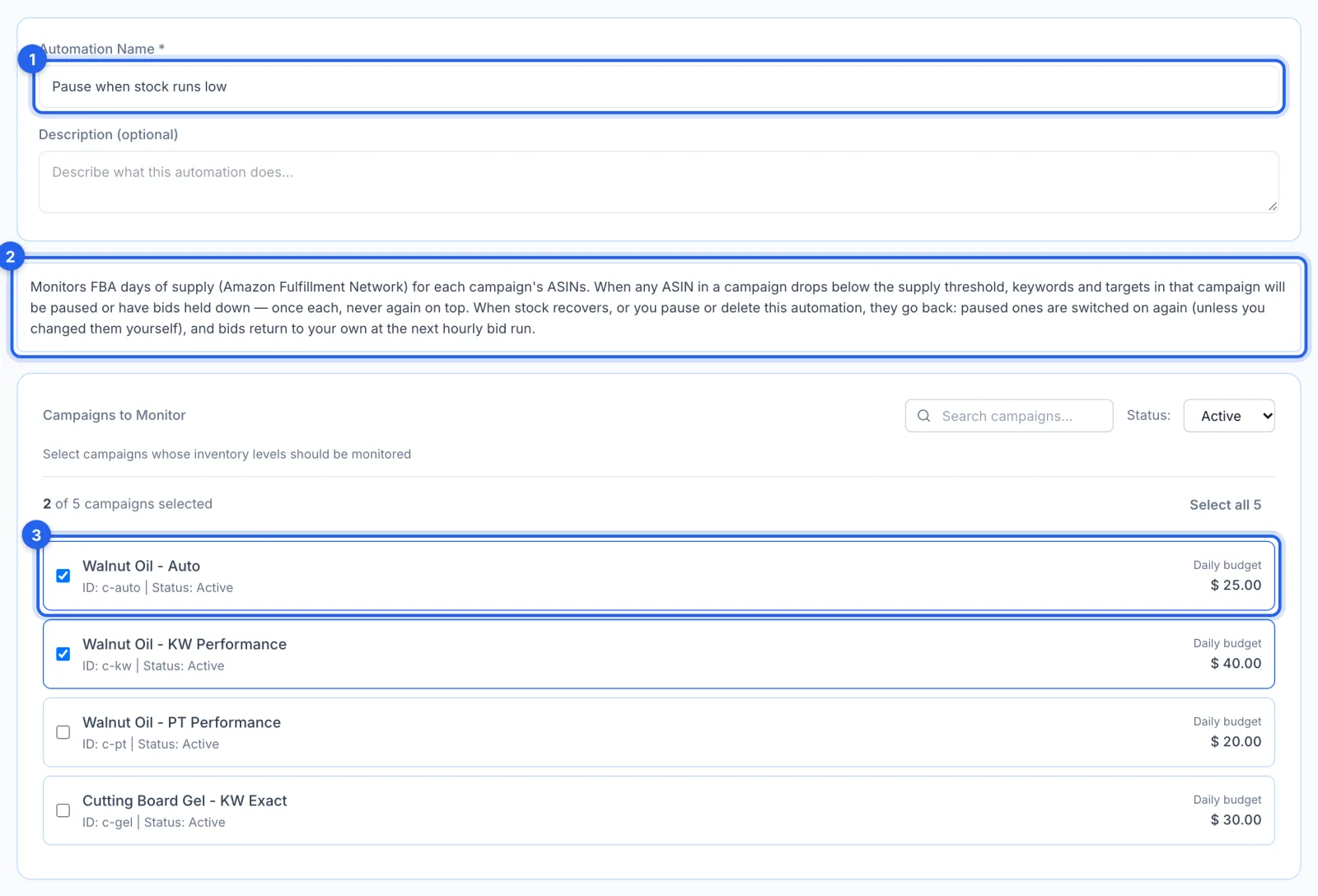
Name the rule (1); the box below (2) says how it works. Tick the campaigns to watch (3).
Step 3 · Check the products it watches
Products Included lists the ASINs and SKUs the selected campaigns advertise. The rule watches each one's FBA days of supply, and a campaign acts as soon as any of its products runs low.

Step 4 · Set when it acts and when it recovers
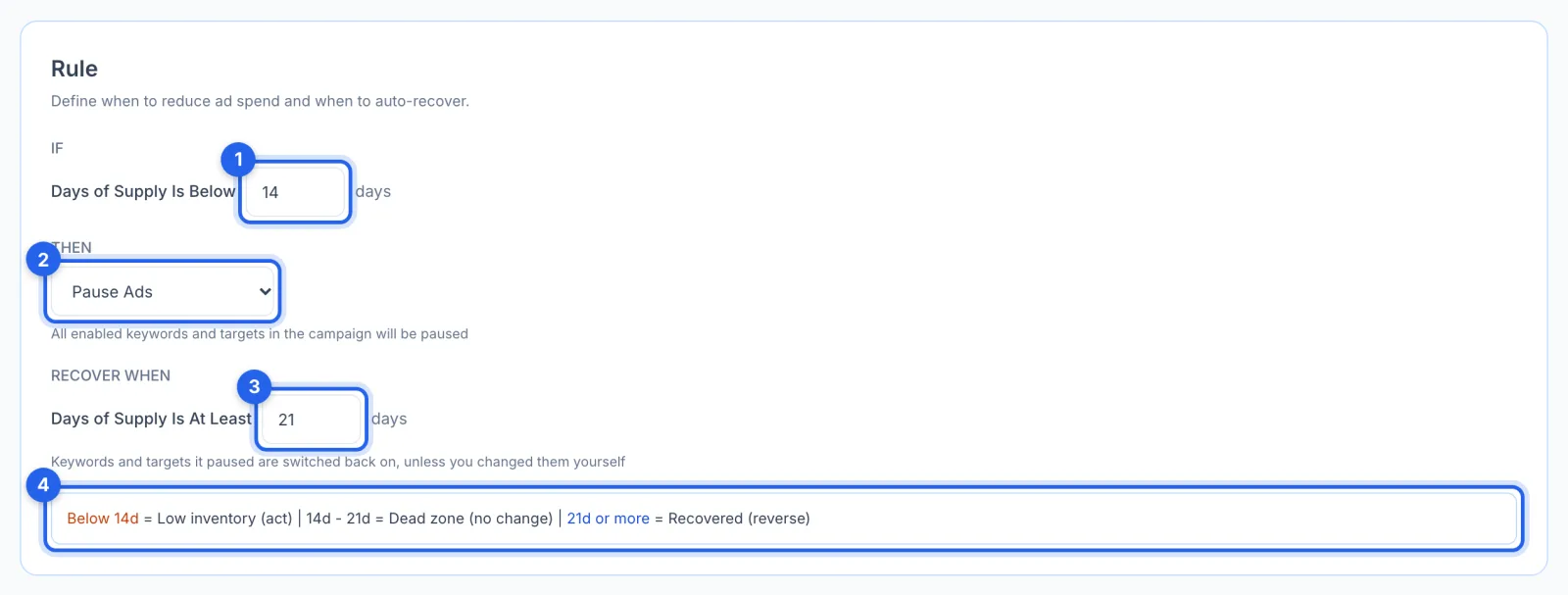
When days of supply falls below 14 (1), it pauses the campaign's keywords and targets, or, with Decrease Bids (2), holds their bids down by a percentage, once each and never again on top. When supply is back to 21 days or more (3), they go back. In between (4), nothing changes, so a product hovering near the line doesn't flip its ads on and off.
Step 5 · Set the schedule and save
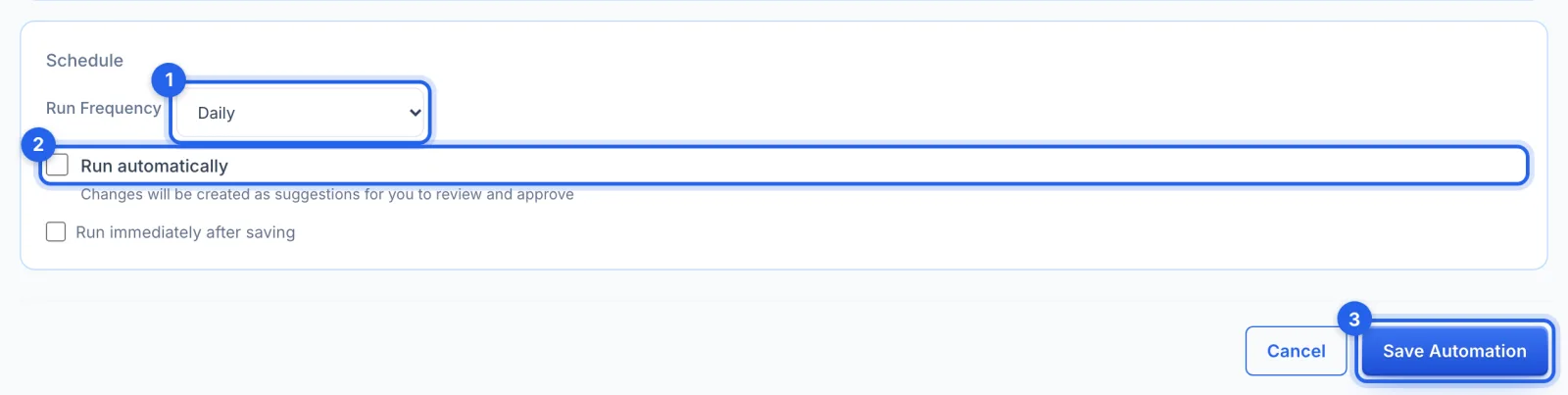
Run Frequency (1) is daily by default. Leave Run automatically (2) off to approve each change in Suggestions. Click Save Automation (3).
Good to know
- Days of supply come from Amazon's FBA restock report, so the rule covers products Amazon fulfils.
- Putting things back. When stock recovers, or you pause or delete the rule, paused keywords and targets are switched back on (unless you changed them yourself since), and held bids return to your own at the next hourly bid run.
- Once each. A keyword already held is never cut again on top, however long the product stays low.