How to automate Amazon placement bid adjustments
Set up a placement rule in RedHen Labs: raise or lower top-of-search and product-page bid adjustments by a fixed step or toward a target ACoS, within limits.
A placement rule adjusts how much more you bid for the top of search and for product pages, the placement bid adjustments, based on how each placement sells. It can move them by a fixed step when your conditions hold, or steer each one toward a target ACoS.
This guide builds one with a screenshot of each step (the control to use is ringed and numbered). It takes about four minutes.
Step 1 · Open the Placement tab
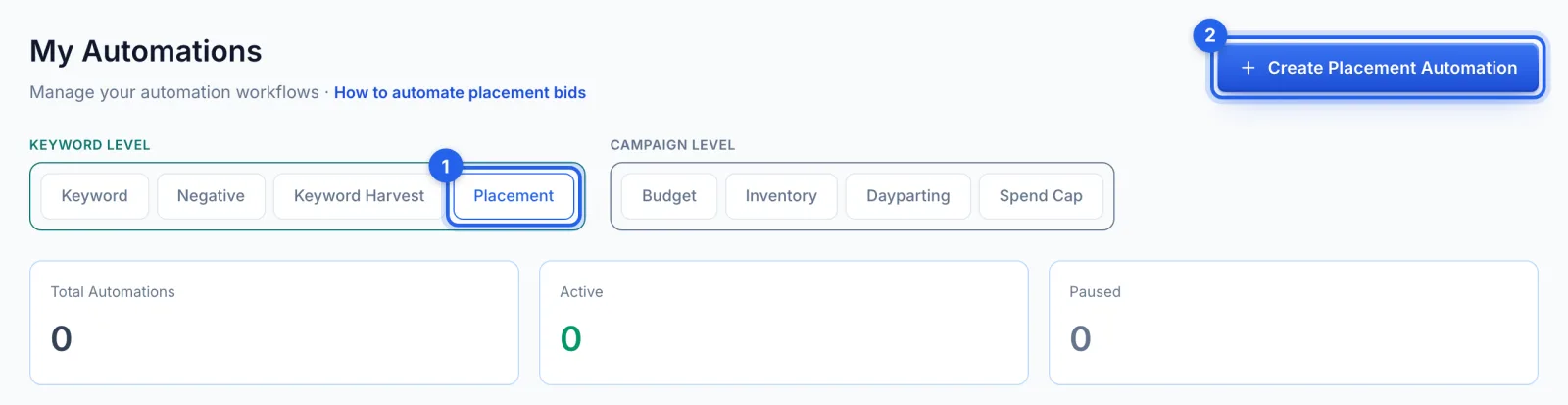
In the side menu, under Automation, click Automations (Professional plan). Under Keyword level, open the Placement tab (1) and click Create Placement Automation (2).
Step 2 · Name it and pick the campaigns
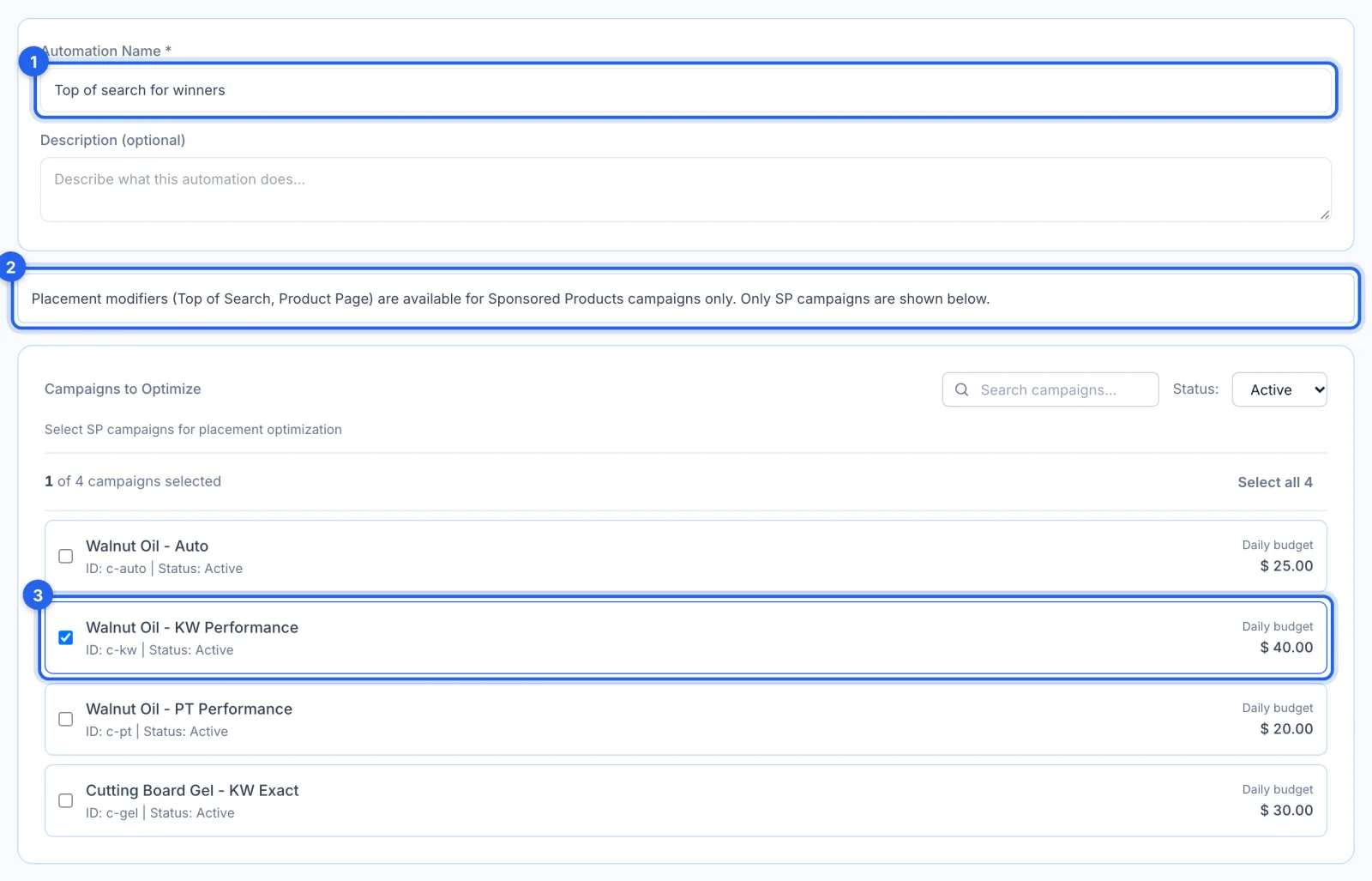
Name the rule (1). Placement bid adjustments exist on Sponsored Products campaigns only (2), so only those are listed; tick the ones it manages (3).
Step 3 · Write a fixed-step rule
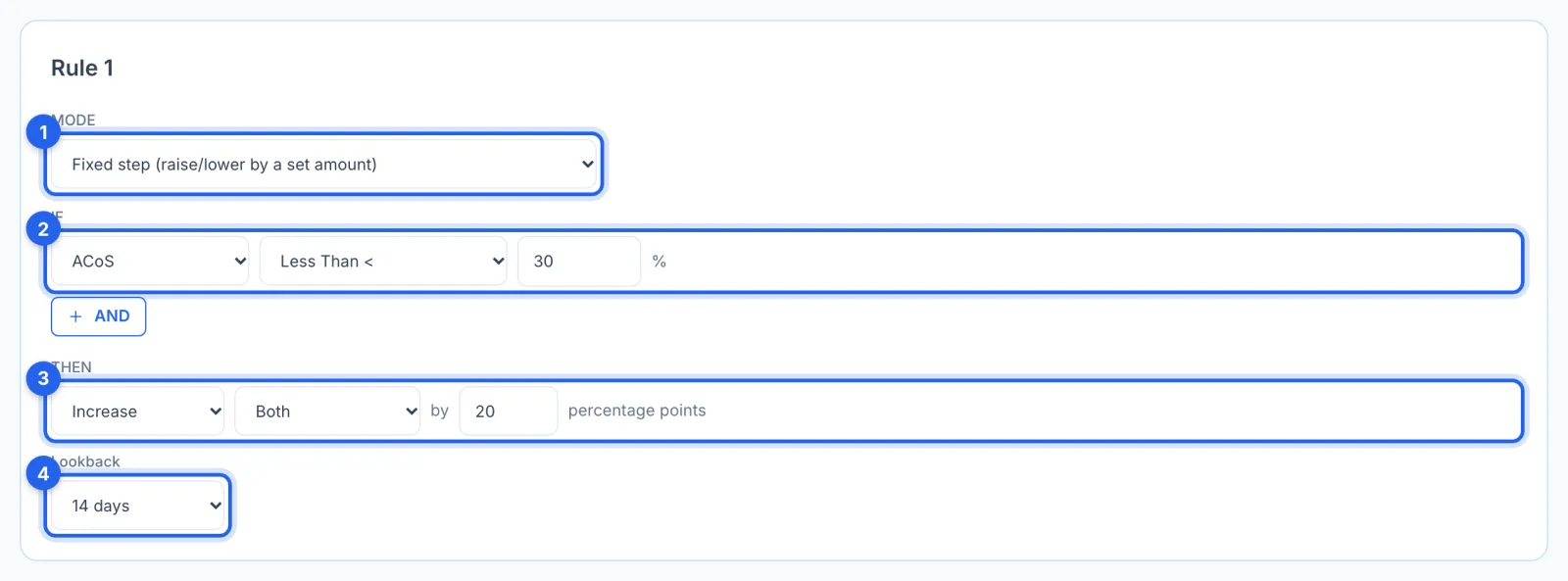
Fixed step (1) moves the adjustment by a set amount when the conditions hold: here, when ACoS is under 30% (2), increase both top of search and product pages by 20 percentage points (3), judged over the last 14 days (4). Rules are checked from the top, and the first that matches is used for the whole campaign, so cover both placements in one rule.
Step 4 · Or steer toward a target ACoS
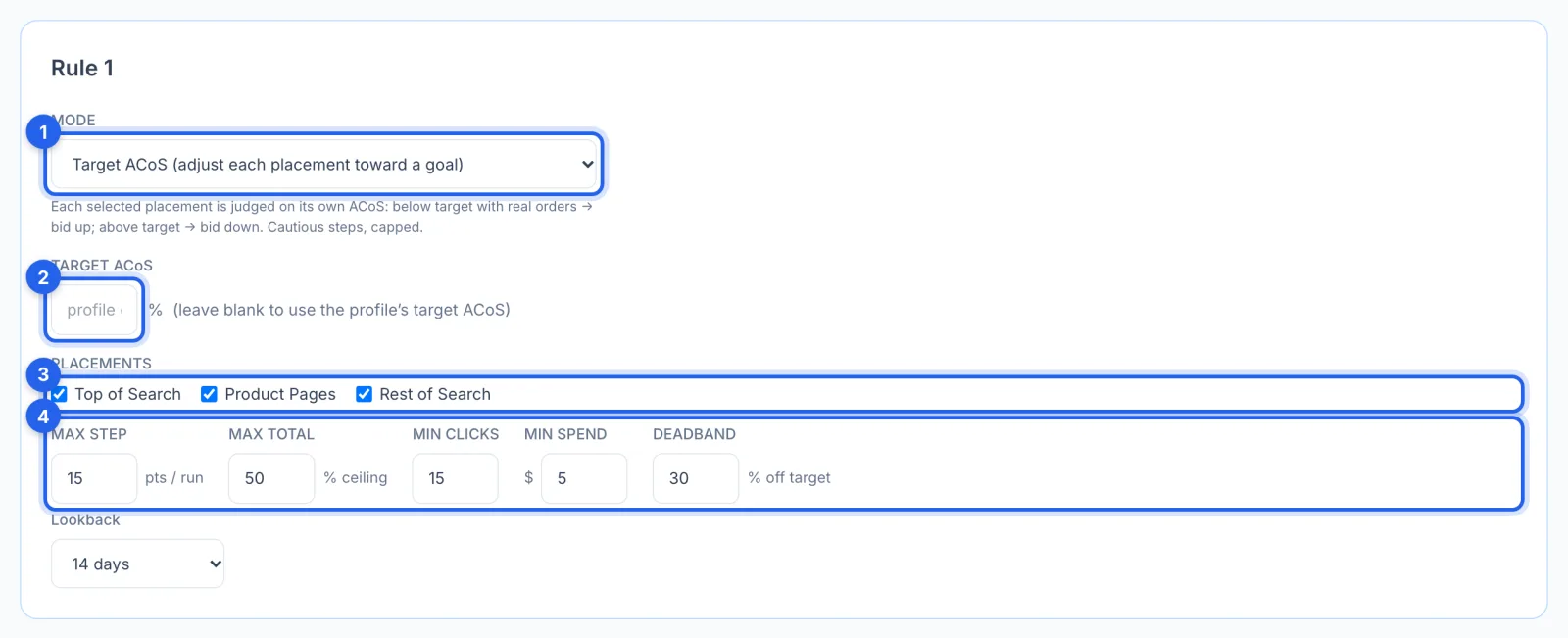
Target ACoS mode (1) judges each placement on its own ACoS: below the target with real orders, it bids up; above it, down. Set the target (2), or leave it blank to use the target ACoS set on Insights for this marketplace (35% until you change it), and pick the placements (3). The limits (4) keep it cautious: at most 15 points a run, never past 50%, only after 15 clicks and $5 of spend, and no change within 30% of the target.
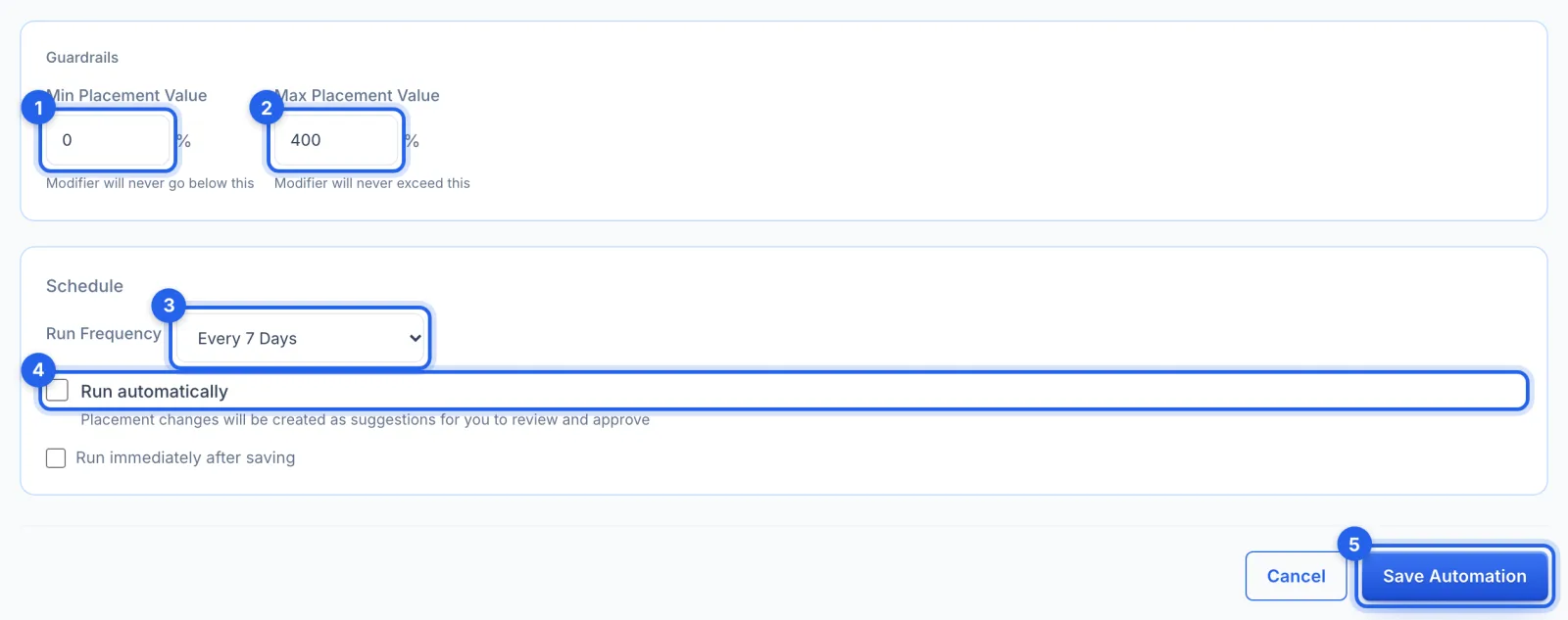
Step 5 · Set the guardrails, schedule and save
Min (1) and Max Placement Value (2), 0% and 400% by default, are the bounds no rule goes past. Run Frequency (3) is every 7 days by default; leave Run automatically (4) off to approve each change in Suggestions. Click Save Automation (5).
Good to know
- Sponsored Products only. Placement bid adjustments are a Sponsored Products setting.
- It multiplies your bids. An adjustment of 50% on top of search means every bid in the campaign is 50% higher there, so move in small steps.
- History lists placement changes without Undo; you can set them by hand on the campaign's page (see How to manage a campaign's keywords, bids and placements).
- The AI can do this too. An AI profile can suggest placement changes, which always wait for your approval.