How to automate Amazon campaign budgets
Set up a budget rule in RedHen Labs: raise or lower daily budgets when RoAS, budget use or ACoS meet your conditions, for good or just for the day.
A budget rule raises or lowers your campaigns' daily budgets when their numbers meet your conditions: for example, giving more budget to a campaign that spends nearly all of it at a good return. It can make lasting changes, or raise a budget just for today and put it back overnight.
This guide builds one with a screenshot of each step (the control to use is ringed and numbered). It takes about four minutes.
Step 1 · Open the Budget tab
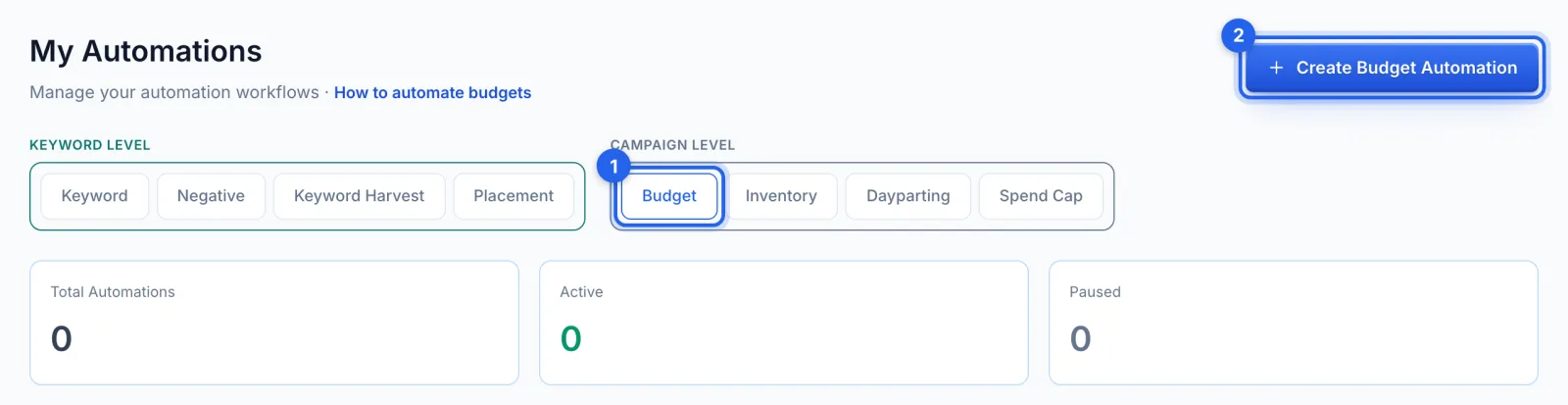
In the side menu, under Automation, click Automations (Professional plan). Under Campaign level, open the Budget tab (1) and click Create Budget Automation (2).
Step 2 · Name it and choose the mode
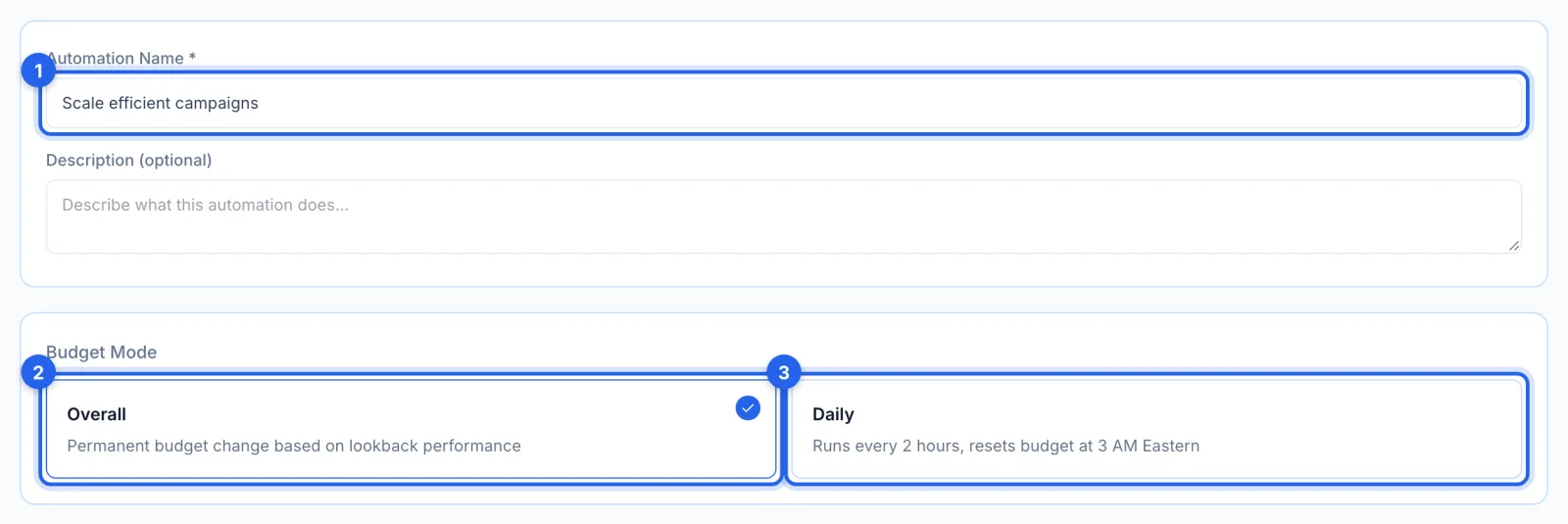
Name the rule (1) and pick a mode. Overall (2) makes a lasting change, judged on the lookback days, each time the rule runs. Daily (3) checks every 2 hours on today's numbers from Amazon, changes a campaign's budget at most once a day, and puts it back at 3 AM Eastern.
Step 3 · Pick the campaigns
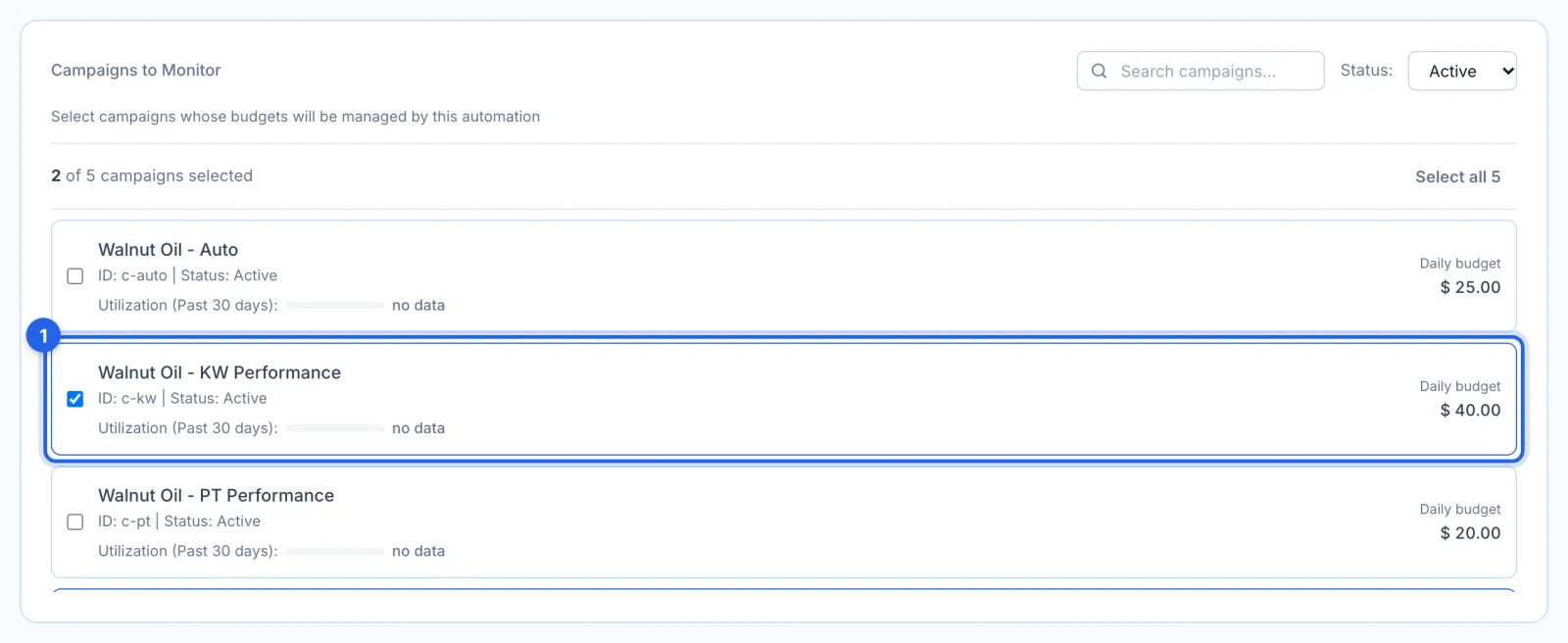
Tick the campaigns whose budgets it manages (1). Each row shows how much of its budget the campaign has used over the last 30 days.
Step 4 · Set the change
Choose Increase or Decrease (1), a percentage or a fixed amount (2), and how much (3): 20% by default. Max Budget (4), or Min Budget when decreasing, is as far as it may go, and Max Daily Increase (5) is the most it may add in one day. A budget never goes below $1.

Step 5 · Set the conditions
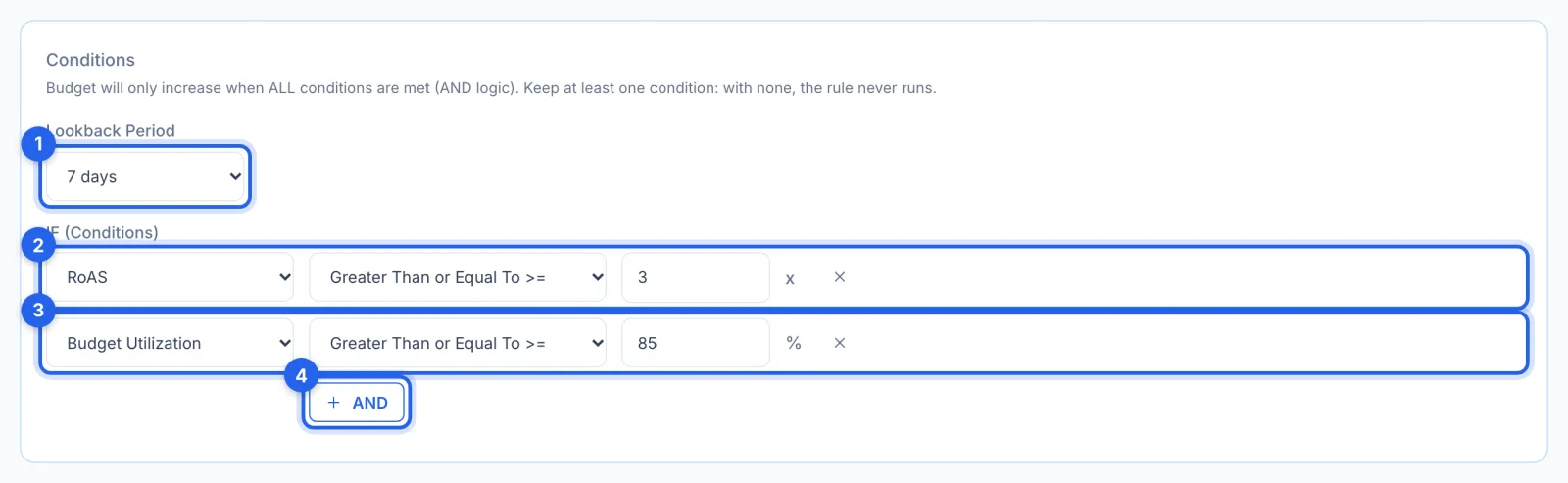
The Lookback Period (1) is the days the numbers cover (7 by default, in Overall mode). The budget changes only when every condition holds: by default RoAS of 3 or more (2) and Budget Utilization of 85% or more (3), a campaign spending nearly all its budget at a good return. AND (4) adds another: RoAS, Budget Utilization or ACoS.
Step 6 · Set the schedule and save
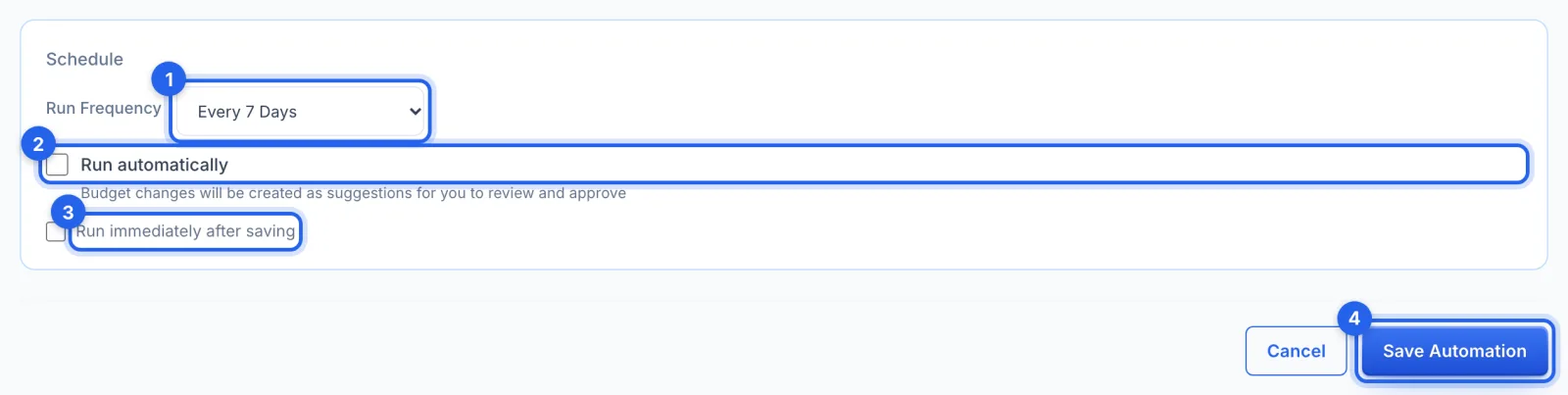
Run Frequency (1) is how often it checks in Overall mode, every 7 days by default. Leave Run automatically (2) off to approve each change in Suggestions; tick Run immediately after saving (3) for a first run now. Click Save Automation (4).
Good to know
- History. Budget changes made by a rule are listed without Undo. To set a budget back, change it on the Campaigns page, where your own change can be undone.
- With a spend cap. A capped campaign's budget belongs to the cap: a rule can still raise it, but only for the rest of that day; the cap recalculates the next morning (see How to cap your monthly Amazon ad spend).
Tips
- The default rule is a good start: more budget for campaigns using 85% or more of it at a RoAS of 3 or better.
- Always set a Max Budget, so a rule that keeps matching can't keep climbing.