How to cap your monthly Amazon ad spend
Set a spend cap in RedHen Labs: a monthly figure, the campaigns it covers, each one's daily and max budget, and how it paces those budgets every morning.
A spend cap keeps the campaigns you choose inside a monthly amount. Every morning it sets each campaign's daily budget from what that campaign has left for the month, so a quiet day leaves a little more for the days after and a heavy day trims them. It never pauses a campaign.
This guide sets one up with a screenshot of each step (the control to use is ringed and numbered). It takes about five minutes.
Step 1 · Open the Spend Cap tab
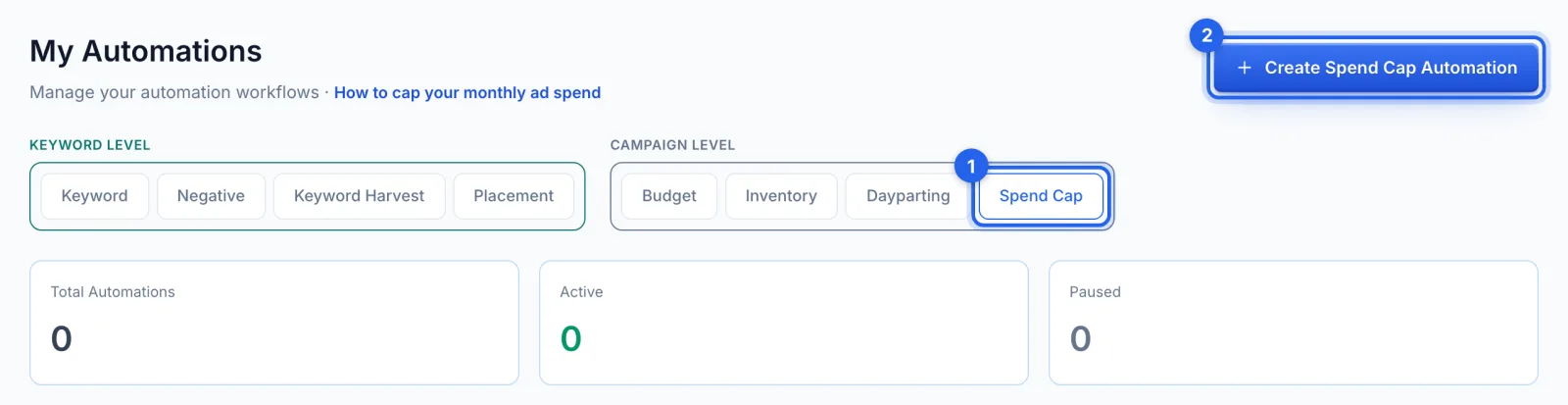
In the side menu, under Automation, click Automations (Professional plan). Under Campaign level, open the Spend Cap tab (1) and click Create Spend Cap Automation (2).
Step 2 · Name it and set the monthly figure
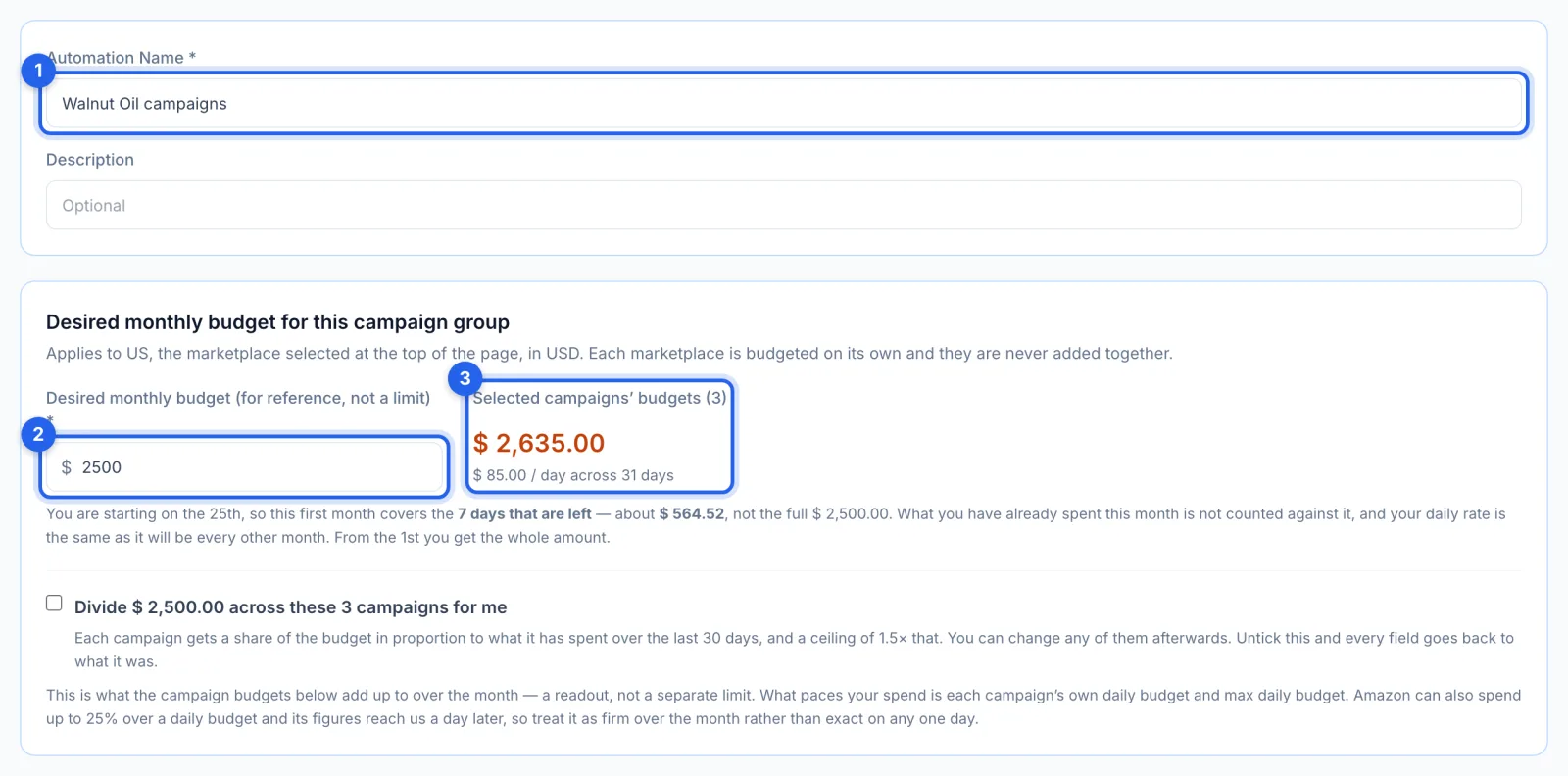
Name the cap (1) and enter the most you want to spend this month (2). That figure is for reference: what paces your spend is each campaign's own daily budget, and the readout (3) adds those up over the month, here $85 a day, or $2,635 over 31 days. The cap covers the marketplace selected at the top of the page, in its own currency. Starting mid-month, the first month covers only the days that are left.
Step 3 · Choose the campaigns and their budgets
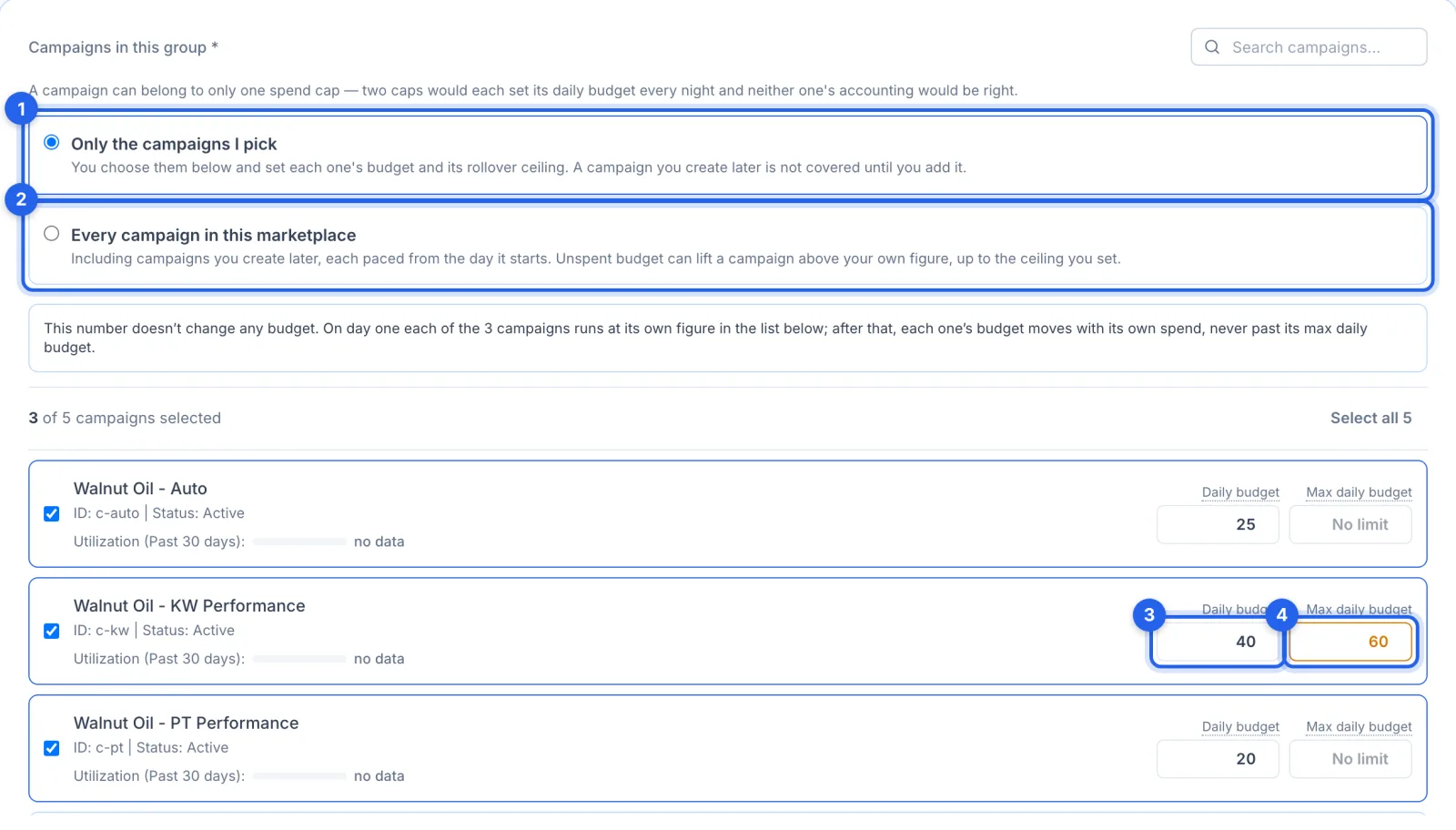
Cap only the campaigns you pick (1), or every campaign in this marketplace (2), including ones you create later. For each campaign, set its daily budget (3) and its max daily budget (4): the highest that unspent money from earlier in the month may lift it to. A campaign can belong to one spend cap.
Step 4 · Or let it divide the money for you
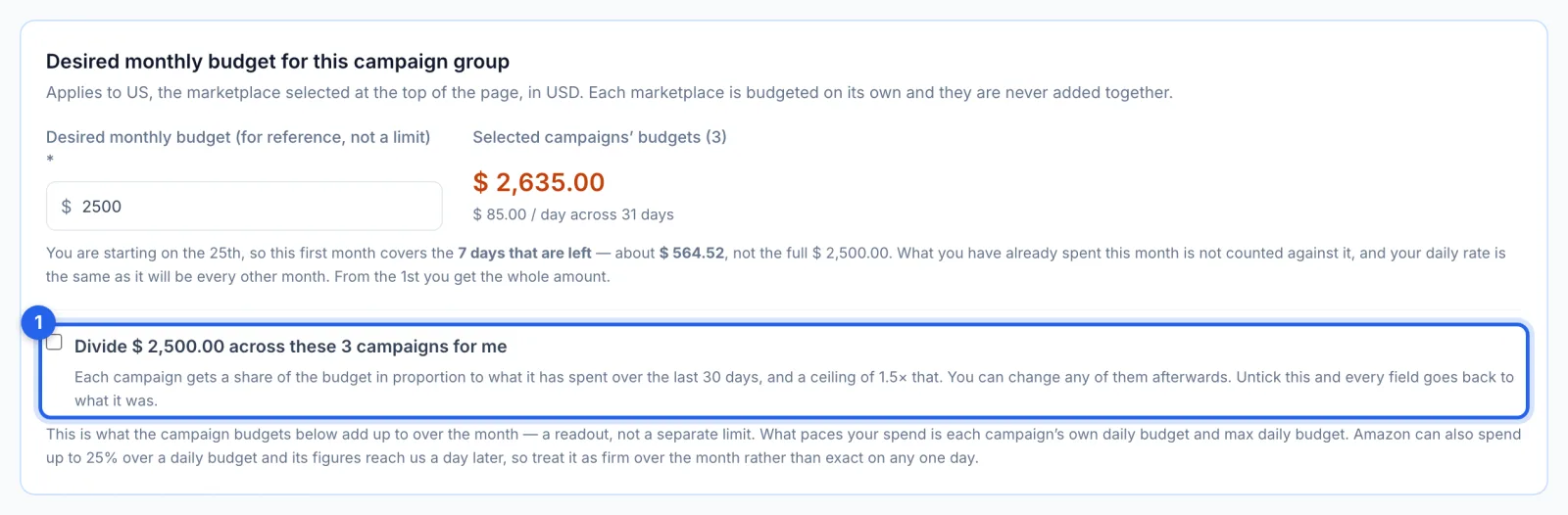
Tick Divide across these campaigns for me (1) to share the monthly figure between them in proportion to what each spent over the last 30 days, each with a ceiling of 1.5 times that. You can change any of them afterwards, and unticking it puts every field back.
Step 5 · Get it in your daily email, and save
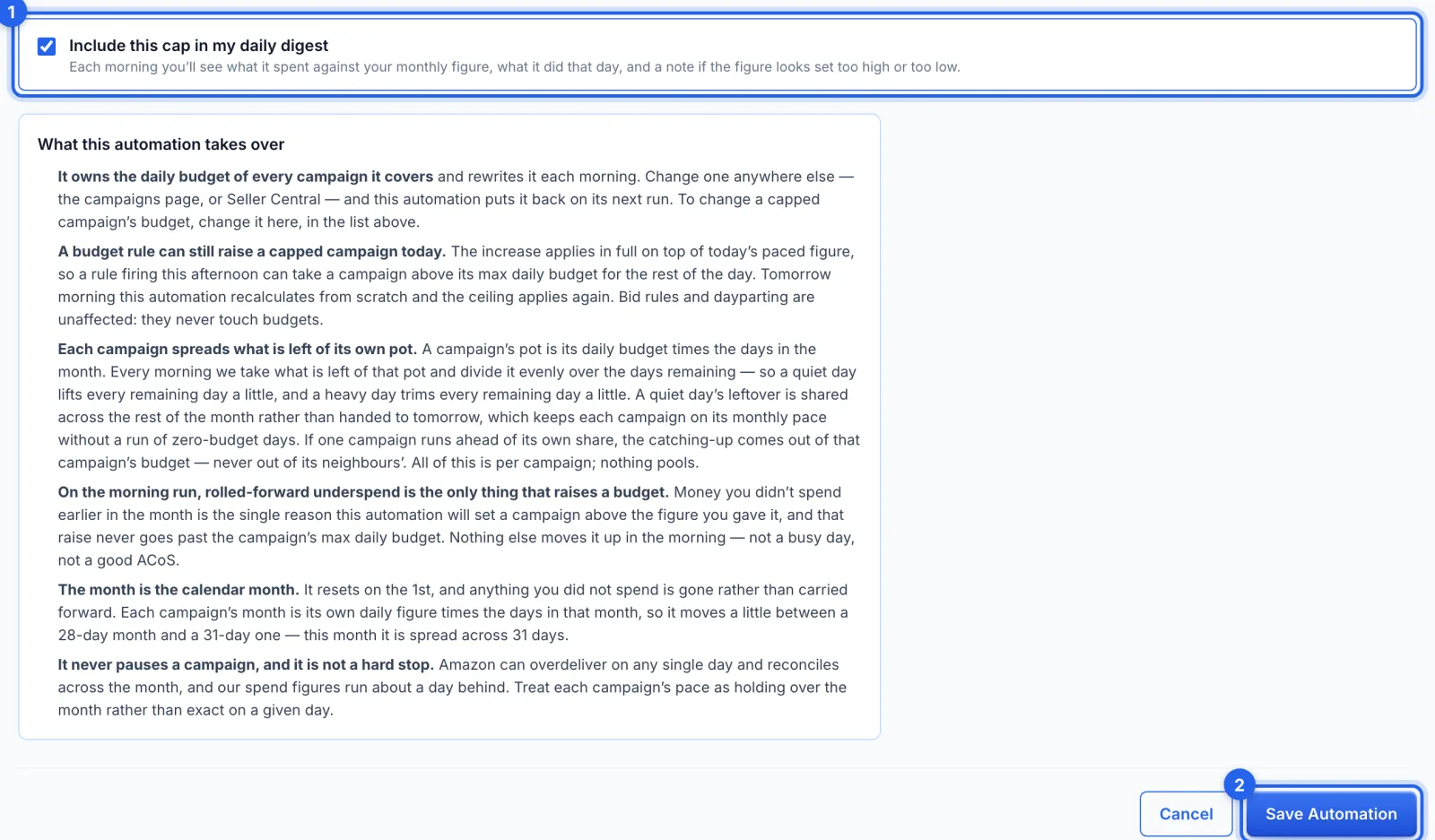
Include this cap in my daily digest (1) adds a line each morning: what it spent against your monthly figure, what it did that day, and a note if the figure looks too high or too low. Read What this automation takes over, then click Save Automation (2). There's no approval queue: saving turns it on.
How it paces
- Each campaign has its own pot: its daily budget times the days in the month. Every morning, what's left of the pot is divided evenly over the days remaining, between $1 and the campaign's max daily budget. Nothing is pooled between campaigns.
- Only unspent money raises a budget, and never past the max daily budget. A busy day or a good ACoS doesn't.
- The month is the calendar month. It starts again on the 1st; what wasn't spent isn't carried over.
- It's not a hard stop. Amazon can spend up to 25% over a daily budget on any one day, and its figures reach us a day later, so treat the cap as holding over the month.
Good to know
- It owns those daily budgets. A budget changed anywhere else (Campaigns, or Amazon's console) is put back on its next run: change a capped campaign's budget in the cap. On the Campaigns page its budget shows in orange.
- A budget rule can still raise a capped campaign for the rest of the day; the next morning the cap recalculates. Bid rules and dayparting don't touch budgets.
- History lists its changes as Spend cap, without Undo. Pausing the cap puts each campaign back on its own daily budget; deleting it does the same first.