How to see and undo changes to your Amazon ads
Use History in RedHen Labs: every change to your Amazon ads, who made it and why, the filters, Undo, and what can't be undone.
History lists every change made to your Amazon ads: by you, by your rules, by the AI, by your spend cap and by dayparting, with who made it and why. Most changes have an Undo that puts them back on Amazon.
This guide walks through it with a screenshot of each part (what to look at is ringed and numbered). It takes about three minutes.
Step 1 · Open History
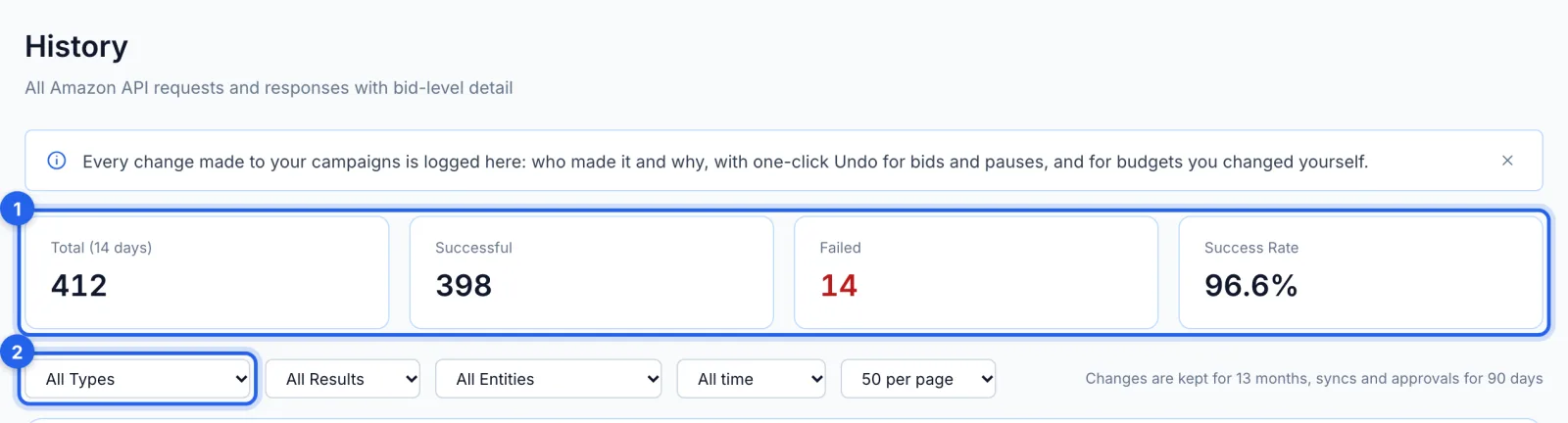
In the side menu, under Reports, click History (Growth plan and up). The counts at the top (1) cover the last 14 days. The first filter (2) picks what to show: Amazon Changes Only, Manual Changes, Applied Suggestions, Auto-Applied, Spend Cap Changes, Failed Suggestions, Automation Runs, Syncs or API Errors; the others narrow it by result, by what changed and by date. Changes are kept for 13 months, syncs and approvals for 90 days.
Step 2 · Read a change
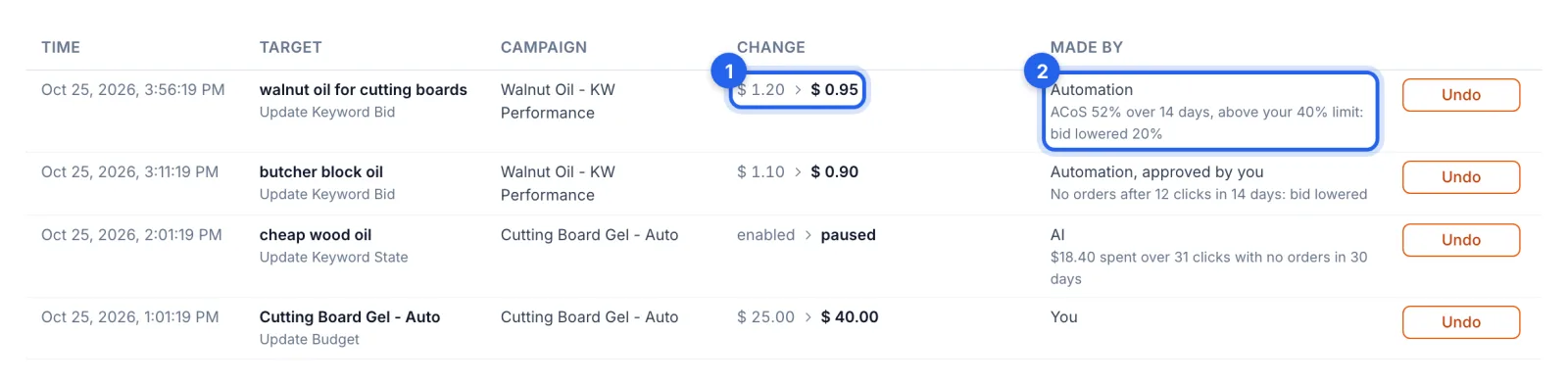
Each row is one change: when, what changed (a keyword, target or campaign, and the kind of change), its campaign, the value before and after (1), and who made it (2), with the reason it gave: You, AI, Automation, Automation approved by you, Spend cap or Dayparting.
Step 3 · Undo a change
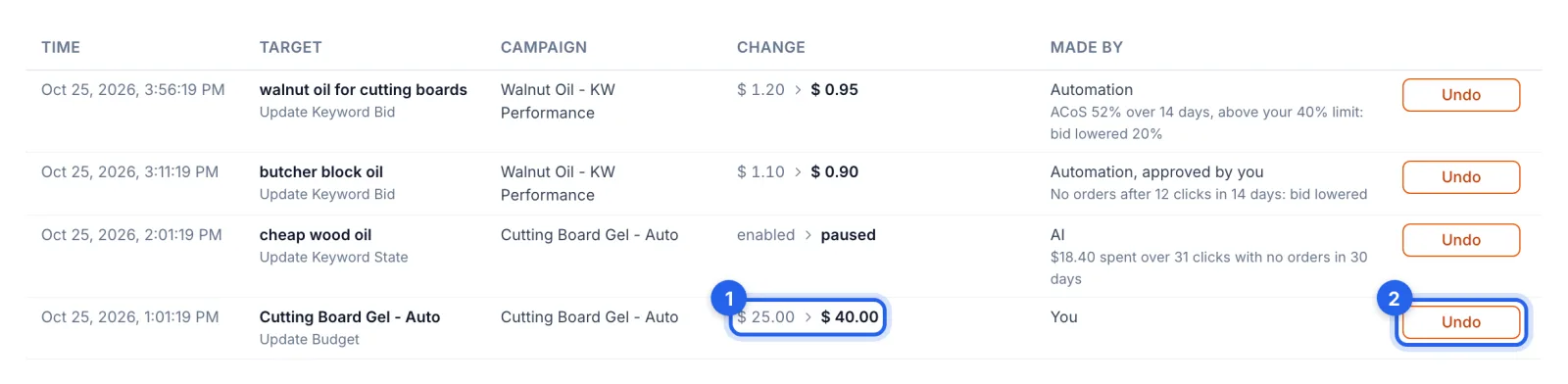
Undo (2) sets it back on Amazon: here, the budget goes back from $40.00 to $25.00 (1). Bids, pauses and enables, and budgets you changed yourself can be undone, once each; the row then says Undone. When you undo a change a rule or the AI made, they leave that bid or on/off status alone for 30 days.
Step 4 · When it changed since
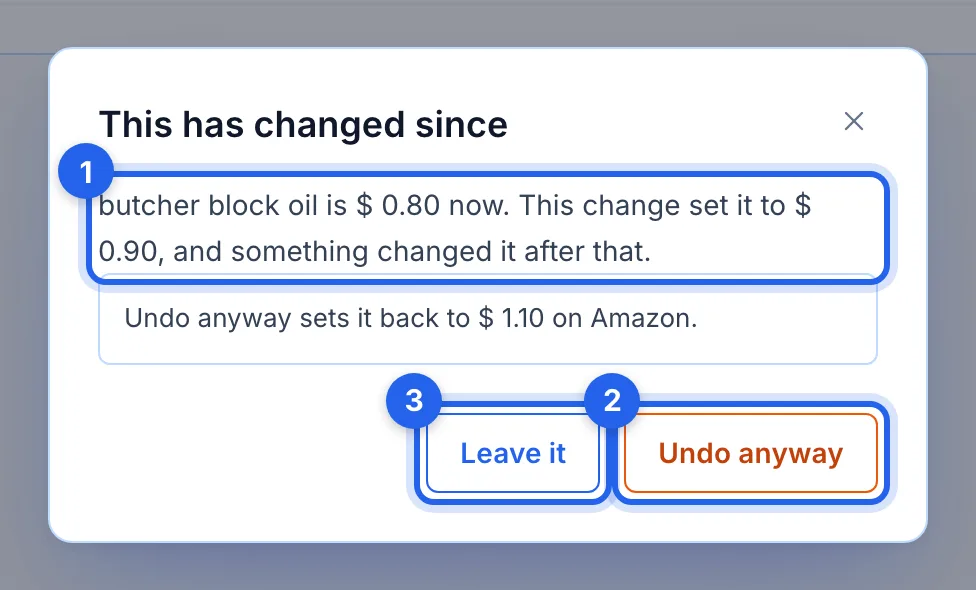
If something changed it after this change (another rule, the AI, or you in Seller Central), Undo asks first and says what it is now (1). Undo anyway (2) sets it back; Leave it (3) keeps it as it is.
Step 5 · What has no Undo
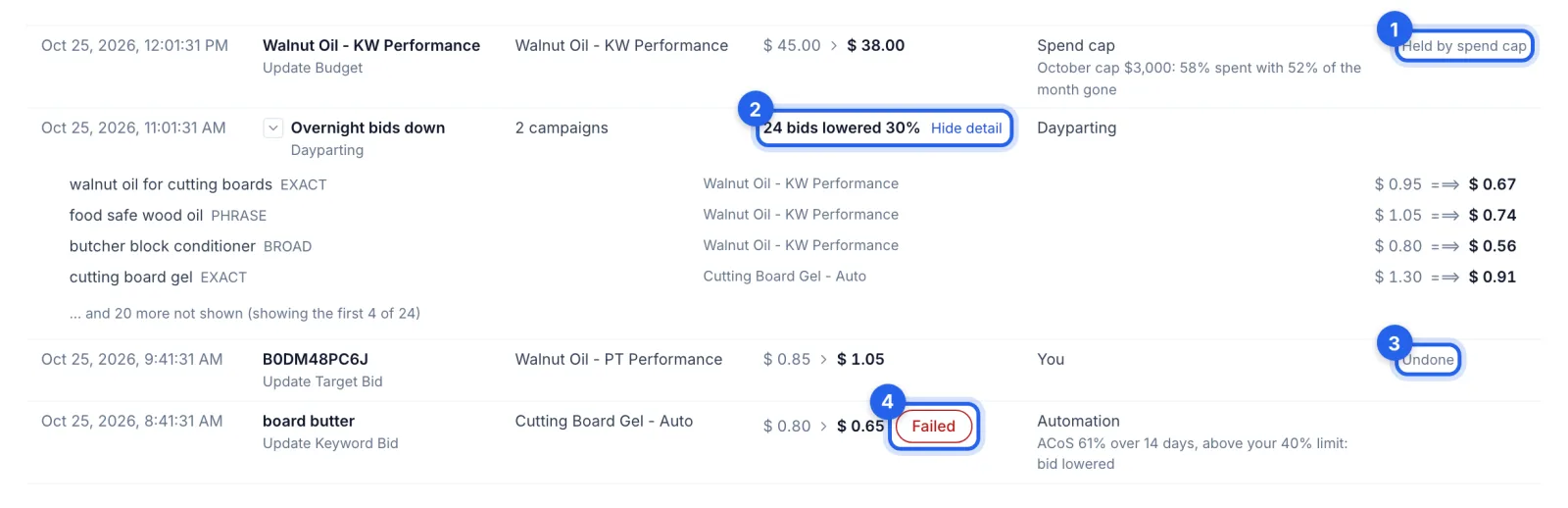
A budget your spend cap holds says Held by spend cap (1): the cap would reverse an Undo the next morning, so change it in the spend cap. A dayparting row (2) opens to list each bid it moved; the schedule puts its own bids back. A change already undone says Undone (3). A change Amazon refused says Failed (4): hover over it for Amazon's reason.
Good to know
- Also without Undo. Budgets changed by a budget rule and placement changes: set them by hand on the Campaigns page or the campaign's page. Keywords and negatives a rule added: pause a keyword on the campaign's page; a negative can only be removed in Amazon's own console. An archived campaign can't be brought back; Amazon doesn't allow it.
- Undo goes to Amazon. It changes the same keyword, target or campaign in the marketplace where the change was made, and the result appears as a new row made by You, with Undo.
- An Undo is respected for 30 days. After you undo a change a rule or the AI made, they leave that bid, or that keyword's on/off status, alone for 30 days; the AI lists what it would have done as held, with the date it lets go. Changing it again yourself ends the 30 days early. Undoing your own change holds nothing.
- Not recorded. Changes made before Oct 26, 2026 didn't record whether you or an automation made them, so they say Not recorded.